Overview
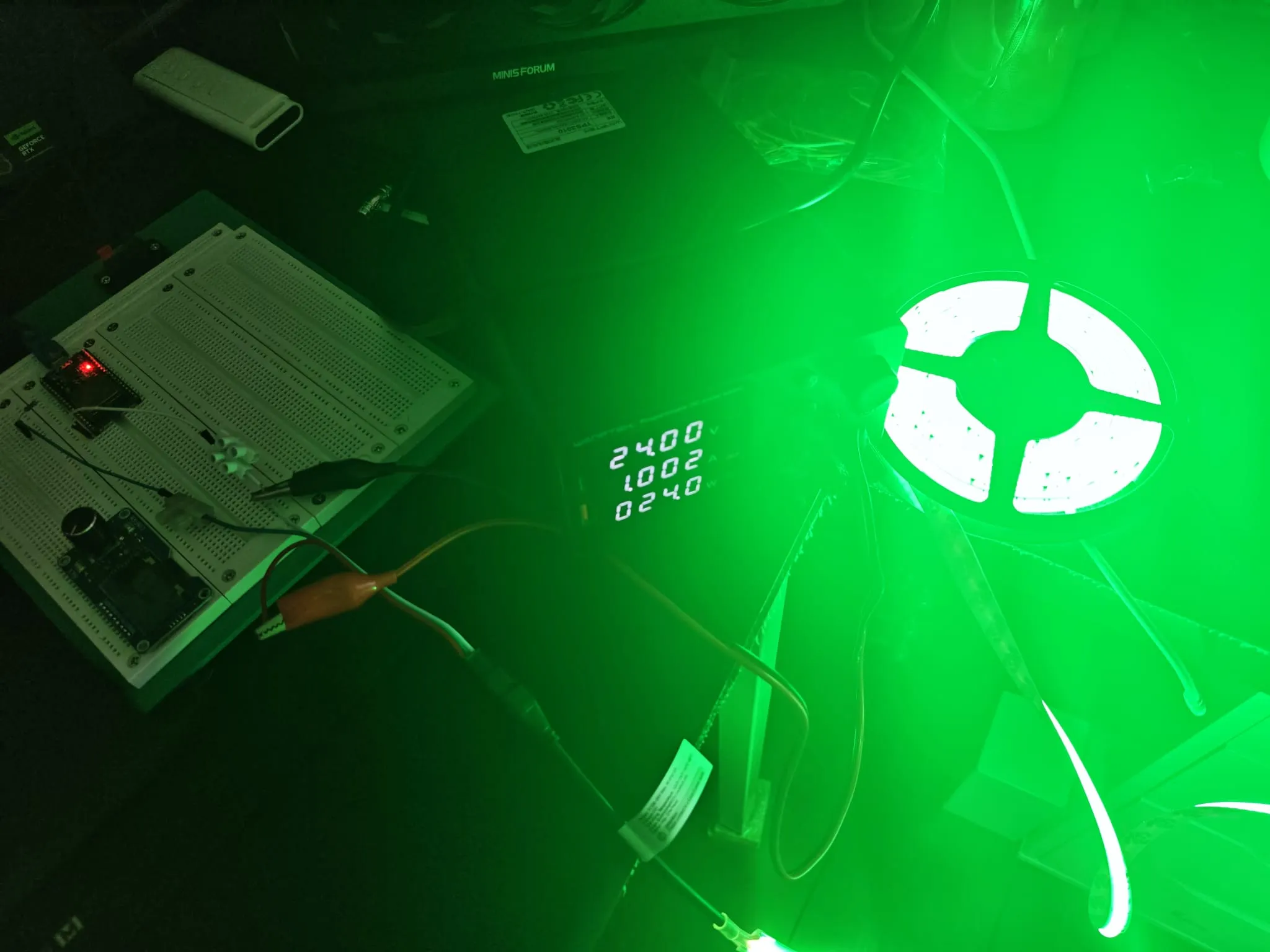
This is where the previous two experiments came together. I had the FCOB strip talking to the ESP32, and I knew how to serve a web page over WiFi. The natural next step was a proper colour picker — not just RGB sliders, but a real colour wheel you could drag around, with the strip updating in real time.
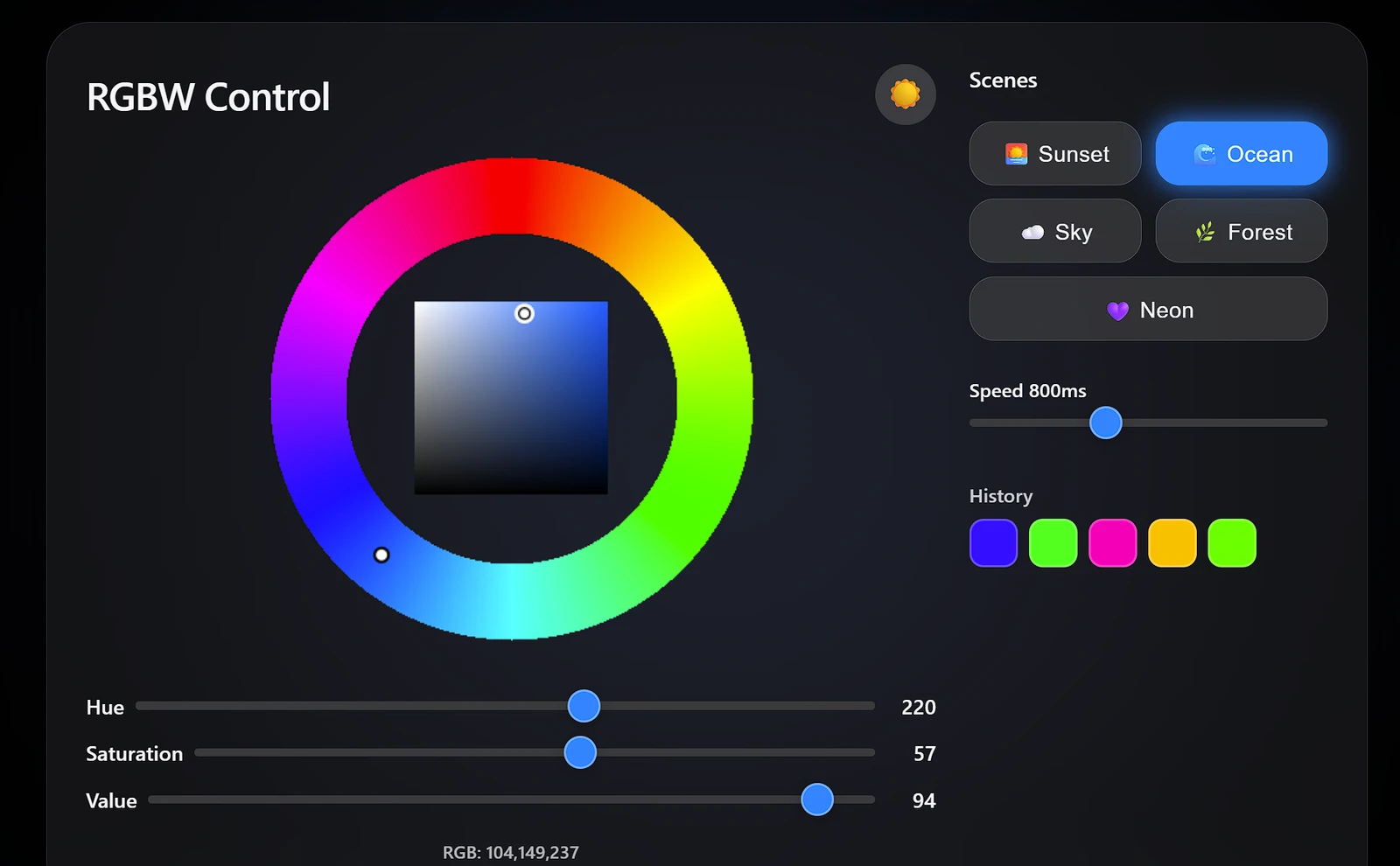
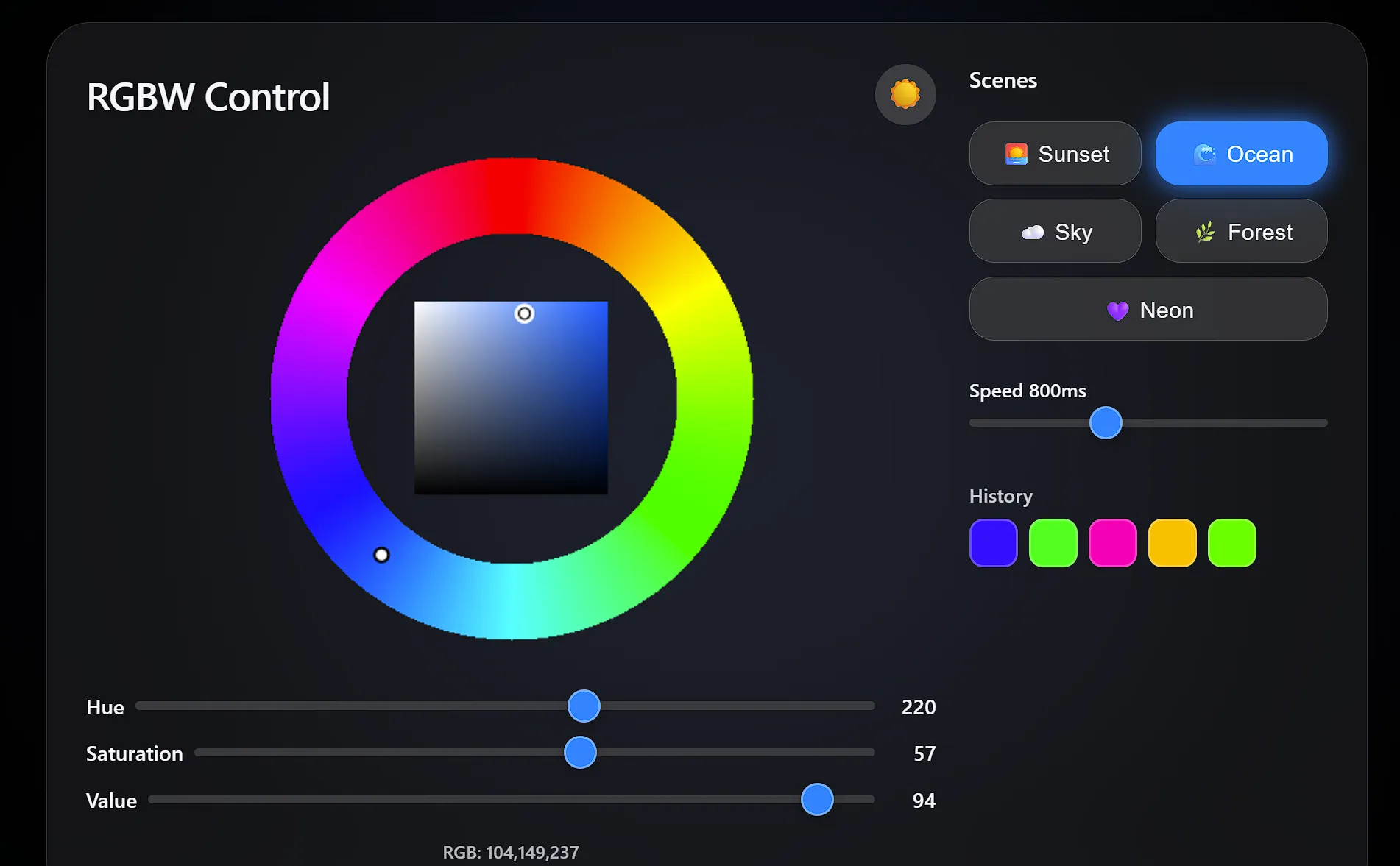
The web interface ended up being the biggest part of the project. I wanted it to feel polished — dark/light mode toggle, glassmorphism card, animated scene presets, a colour history grid, and a background glow that matched whatever colour the strip was displaying. Building the HSV colour wheel from scratch on a <canvas> was probably overkill, but it’s way more satisfying to use than three sliders.
Colour Processing — RGB to RGBW
The key challenge with RGBWW strips is extracting the white component:
void updateLED() {
    byte W = min(R, min(G, B));   // white = common component
    byte r = R - W;                // pure red
    byte g = G - W;                // pure green
    byte b = B - W;                // pure blue

    for (int i = 0; i < LED_COUNT; i++) {
        strip.SetPixelColor(i, RgbwColor(r, W, g, b));
    }
    strip.Show();
}
Note: NeoGrbwFeature uses the channel order Red, White, Green, Blue — not R, G, B, W.
The white extraction is surprisingly simple once you think about it. Any colour where R, G, and B all have some value — greys, pastels, warm tones — contains a “white” component equal to the smallest of the three channels. Subtract that out, send it to the dedicated warm-white LED, and the remaining RGB values give you the pure hue. Without this step, a colour like (255, 200, 150) would look washed out because the RGB LEDs would be trying to produce both the hue and the white component simultaneously — and LEDs aren’t great at that. Splitting them gives you noticeably cleaner, more accurate colours.
The gotcha is the channel order: NeoGrbwFeature maps to (Red, White, Green, Blue), which is… not what you’d guess from the name. I wasted a solid 20 minutes on that before reading the library docs properly.
Web Interface
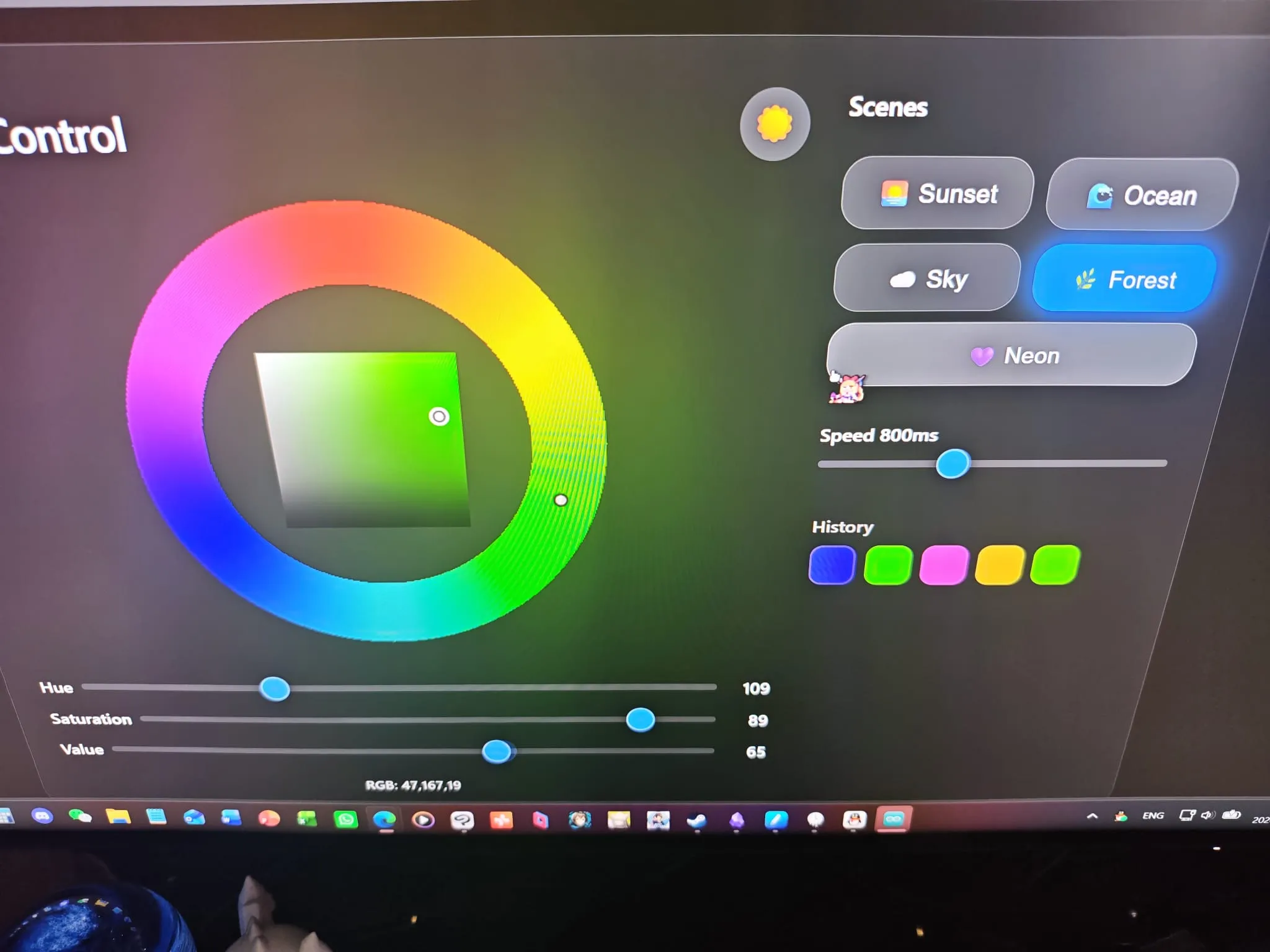
The web page provides:
- A colour wheel for intuitive hue selection
- Individual R, G, B sliders for fine control
- Real-time LED preview
The colour wheel is rendered pixel-by-pixel on a <canvas> — a hue ring on the outside for picking the base colour, and a saturation/value triangle in the centre for fine-tuning. Dragging on the ring sets hue; dragging in the triangle sets saturation and value. It’s the same interaction model as a proper desktop colour picker, just running in a browser on a microcontroller.
I also added five animated scene presets (sunset, ocean, sky, forest, neon) that continuously vary the colour using sine-wave modulation. The neon one just cycles through the full hue spectrum at whatever speed you set. Tapping a scene button starts the animation; tapping it again stops it. It’s a fun way to demo the strip without having to constantly drag sliders around.
The whole page uses CSS custom properties for theming, so the dark/light toggle flips every colour in one place. I went with Apple’s system font stack and the glassmorphism look because, well, if you’re going to build a colour picker, it might as well look good.
Full Code
#include <WiFi.h>
#include <WebServer.h>
#include <NeoPixelBus.h>
const char* ssid = "YOUR_WIFI_USERNAME_HERE"; // Replace with your WiFi SSID
const char* password = "YOUR_WIFI_PASSWORD_HERE"; // Replace with your WiFi password
#define LED_PIN 5
#define LED_COUNT 150
// Use NeoGrbwFeature, color order is Red, White, Green, Blue
NeoPixelBus<NeoGrbwFeature, NeoEsp32Rmt0800KbpsMethod> strip(LED_COUNT, LED_PIN);
WebServer server(80);
int R = 255, G = 0, B = 0;
// Correct LED update algorithm (extract white, remap channels)
void updateLED() {
byte W = min(R, min(G, B));
byte r = R - W;
byte g = G - W;
byte b = B - W;
for (int i = 0; i < LED_COUNT; i++) {
strip.SetPixelColor(i, RgbwColor(r, W, g, b));
}
strip.Show();
}
void setRGB(String value) {
int p1 = value.indexOf(',');
int p2 = value.indexOf(',', p1 + 1);
R = value.substring(0, p1).toInt();
G = value.substring(p1 + 1, p2).toInt();
B = value.substring(p2 + 1).toInt();
Serial.printf("RGB:%d,%d,%d\n", R, G, B);
updateLED();
}
void setup() {
Serial.begin(115200);
strip.Begin();
strip.Show();
WiFi.begin(ssid, password);
while (WiFi.status() != WL_CONNECTED) {
delay(500);
Serial.print(".");
}
Serial.println();
Serial.println(WiFi.localIP());
server.on("/", []() {
String html = R"rawliteral(
<!DOCTYPE html>
<html>
<head>
<meta charset="utf-8">
<meta name="viewport" content="width=device-width, initial-scale=1.0, user-scalable=yes">
<title>RGBW Controller</title>
<style>
:root {
--bg: #000;
--text: #f5f5f7;
--card-bg: rgba(28,28,30,0.65);
--slider-track: #3a3a3c;
--slider-thumb: #0a84ff;
--border: rgba(255,255,255,0.15);
--shadow: rgba(0,0,0,0.5);
--glass-blur: blur(30px);
}
body.light {
--bg: #f2f2f7;
--text: #1c1c1e;
--card-bg: rgba(255,255,255,0.7);
--slider-track: #c7c7cc;
--slider-thumb: #007aff;
--border: rgba(0,0,0,0.1);
--shadow: rgba(0,0,0,0.08);
}
body {
font-family: -apple-system, BlinkMacSystemFont, 'Segoe UI', Roboto, Helvetica, Arial, sans-serif;
background-color: var(--bg);
color: var(--text);
margin: 0;
padding: 20px;
display: flex;
justify-content: center;
align-items: center;
min-height: 100vh;
transition: background-color 0.3s ease, color 0.3s ease;
position: relative;
overflow-x: hidden;
}
#bg-glow {
position: fixed;
top: 0; left: 0;
width: 100vw; height: 100vh;
pointer-events: none;
z-index: 0;
background: radial-gradient(circle at 50% 50%, rgba(255,0,0,0.5) 0%, transparent 70%);
transition: background 0.8s ease;
filter: blur(80px);
opacity: 0.8;
}
.container {
position: relative;
z-index: 2;
width: 100%;
max-width: 900px;
background: var(--card-bg);
backdrop-filter: var(--glass-blur);
-webkit-backdrop-filter: var(--glass-blur);
border-radius: 32px;
padding: 30px 28px;
box-shadow: 0 20px 50px var(--shadow);
display: flex;
flex-wrap: wrap;
gap: 24px;
transition: background 0.3s, box-shadow 0.3s;
border: 1px solid var(--border);
}
.left-panel {
flex: 1 1 420px;
min-width: 300px;
display: flex;
flex-direction: column;
align-items: center;
}
.right-panel {
flex: 0 1 260px;
display: flex;
flex-direction: column;
gap: 16px;
}
.header {
display: flex;
justify-content: space-between;
align-items: center;
width: 100%;
margin-bottom: 8px;
}
h1 {
font-size: 28px;
font-weight: 600;
margin: 0;
letter-spacing: -0.5px;
}
.theme-toggle {
background: rgba(255,255,255,0.15);
border: none;
border-radius: 50%;
width: 44px;
height: 44px;
font-size: 22px;
display: flex;
align-items: center;
justify-content: center;
cursor: pointer;
color: var(--text);
transition: background 0.2s, transform 0.2s;
backdrop-filter: blur(10px);
-webkit-backdrop-filter: blur(10px);
line-height: 1;
}
.theme-toggle:hover {
background: rgba(255,255,255,0.25);
transform: scale(1.08);
}
canvas {
display: block;
border-radius: 20px;
background: transparent;
touch-action: none;
margin-bottom: 16px;
}
.slider-group {
width: 100%;
margin: 6px 0;
}
.slider-group label {
display: flex;
align-items: center;
justify-content: space-between;
font-size: 15px;
font-weight: 500;
gap: 8px;
}
.slider-group span {
min-width: 36px;
text-align: right;
font-weight: 600;
}
input[type="range"] {
-webkit-appearance: none;
appearance: none;
width: 100%;
height: 6px;
border-radius: 3px;
background: var(--slider-track);
outline: none;
margin: 8px 0;
}
input[type="range"]::-webkit-slider-thumb {
-webkit-appearance: none;
appearance: none;
width: 24px;
height: 24px;
border-radius: 50%;
background: var(--slider-thumb);
border: 2px solid rgba(255,255,255,0.3);
cursor: pointer;
box-shadow: 0 2px 10px rgba(0,0,0,0.3);
transition: transform 0.15s ease;
}
.scene-buttons {
display: flex;
flex-wrap: wrap;
gap: 10px;
}
.scene-btn {
background: rgba(255,255,255,0.1);
backdrop-filter: blur(15px);
-webkit-backdrop-filter: blur(15px);
border: 1px solid rgba(255,255,255,0.2);
border-radius: 18px;
padding: 12px 10px;
color: var(--text);
font-size: 16px;
font-weight: 500;
cursor: pointer;
display: flex;
align-items: center;
gap: 8px;
transition: all 0.25s ease;
flex: 1 1 calc(50% - 10px);
justify-content: center;
letter-spacing: 0.3px;
}
.scene-btn:hover {
background: rgba(255,255,255,0.2);
border-color: rgba(255,255,255,0.4);
transform: translateY(-2px);
box-shadow: 0 8px 20px rgba(0,0,0,0.3);
}
.scene-btn.active {
background: var(--slider-thumb);
border-color: var(--slider-thumb);
color: white;
box-shadow: 0 0 20px var(--slider-thumb);
}
.speed-slider {
margin-top: 8px;
}
.color-history {
margin-top: 16px;
}
.history-title {
font-size: 14px;
font-weight: 600;
margin-bottom: 8px;
opacity: 0.8;
}
.history-grid {
display: flex;
flex-wrap: wrap;
gap: 8px;
}
.history-swatch {
width: 32px;
height: 32px;
border-radius: 10px;
border: 2px solid rgba(255,255,255,0.25);
cursor: pointer;
transition: transform 0.15s, border-color 0.2s;
backdrop-filter: blur(5px);
-webkit-backdrop-filter: blur(5px);
}
.history-swatch:hover {
transform: scale(1.15);
border-color: rgba(255,255,255,0.6);
}
#info {
font-size: 13px;
margin-top: 12px;
opacity: 0.7;
text-align: center;
font-weight: 500;
}
@media (max-width: 750px) {
.container {
flex-direction: column;
align-items: center;
}
.right-panel {
width: 100%;
flex: unset;
}
}
</style>
</head>
<body class="dark">
<div id="bg-glow"></div>
<div class="container">
<div class="left-panel">
<div class="header">
<h1>RGBW Control</h1>
<button class="theme-toggle" id="theme-toggle" title="Toggle dark/light mode">☀️</button>
</div>
<canvas id="wheel" width="380" height="380"></canvas>
<div class="slider-group">
<label>Hue <input id="h" type="range" min="0" max="360" value="0"> <span id="h-val">0</span></label>
</div>
<div class="slider-group">
<label>Saturation <input id="s" type="range" min="0" max="100" value="100"> <span id="s-val">100</span></label>
</div>
<div class="slider-group">
<label>Value <input id="v" type="range" min="0" max="100" value="100"> <span id="v-val">100</span></label>
</div>
<div id="info">RGB: 255,0,0</div>
</div>
<div class="right-panel">
<div style="font-weight:600; font-size:16px; margin-bottom:4px;">Scenes</div>
<div class="scene-buttons" id="scene-buttons">
<button class="scene-btn" data-scene="sunset">🌅 Sunset</button>
<button class="scene-btn" data-scene="ocean">🌊 Ocean</button>
<button class="scene-btn" data-scene="sky">☁️ Sky</button>
<button class="scene-btn" data-scene="forest">🌿 Forest</button>
<button class="scene-btn" data-scene="neon">💜 Neon</button>
</div>
<div class="speed-slider">
<label style="font-size:14px; font-weight:500;">Speed <span id="speed-val">800ms</span></label>
<input id="speed" type="range" min="100" max="2000" value="800" step="10">
</div>
<div class="color-history">
<div class="history-title">History</div>
<div class="history-grid" id="history-grid"></div>
</div>
</div>
</div>
<script>
// ========== Theme Toggle ==========
const body = document.body;
const themeToggle = document.getElementById('theme-toggle');
const savedTheme = localStorage.getItem('theme');
if (savedTheme === 'light') {
body.classList.remove('dark'); body.classList.add('light');
themeToggle.innerHTML = '🌙';
} else {
body.classList.add('dark'); body.classList.remove('light');
themeToggle.innerHTML = '☀️';
}
themeToggle.addEventListener('click', () => {
if (body.classList.contains('dark')) {
body.classList.remove('dark'); body.classList.add('light');
themeToggle.innerHTML = '🌙';
localStorage.setItem('theme', 'light');
} else {
body.classList.remove('light'); body.classList.add('dark');
themeToggle.innerHTML = '☀️';
localStorage.setItem('theme', 'dark');
}
});
// ========== Global Variables ==========
let H = 0, S = 1, V = 1;
const canvas = document.getElementById("wheel");
const ctx = canvas.getContext("2d");
const W = canvas.width, H_canvas = canvas.height;
const CX = W/2, CY = H_canvas/2;
const RING_OUTER = 175;
const RING_INNER = 120;
const SV_SIZE = 140;
const SV_X0 = CX - SV_SIZE/2;
const SV_Y0 = CY - SV_SIZE/2;
let dragging = null;
let animationId = null; // requestAnimationFrame ID
let lastSendTime = 0; // timestamp of last request sent
const SEND_THROTTLE = 50; // max one request per 50ms
let activeScene = null;
const colorHistory = [];
const MAX_HISTORY = 15;
// ========== HSV/RGB Conversion ==========
function hsvToRgb(h, s, v) {
let c = v * s;
let x = c * (1 - Math.abs((h / 60) % 2 - 1));
let m = v - c;
let r = 0, g = 0, b = 0;
if (h < 60) { r = c; g = x; }
else if (h < 120) { r = x; g = c; }
else if (h < 180) { g = c; b = x; }
else if (h < 240) { g = x; b = c; }
else if (h < 300) { r = x; b = c; }
else { r = c; b = x; }
return [
Math.round((r + m) * 255),
Math.round((g + m) * 255),
Math.round((b + m) * 255)
];
}
function rgbToHsv(r, g, b) {
r /= 255; g /= 255; b /= 255;
let max = Math.max(r,g,b), min = Math.min(r,g,b);
let h, s, v = max;
let d = max - min;
s = max === 0 ? 0 : d / max;
if (max === min) h = 0;
else {
switch (max) {
case r: h = (g - b) / d + (g < b ? 6 : 0); break;
case g: h = (b - r) / d + 2; break;
case b: h = (r - g) / d + 4; break;
}
h /= 6;
}
return { h: h * 360, s: s, v: v };
}
// ========== Background Glow Update ==========
function updateGlow(rgb) {
document.getElementById('bg-glow').style.background =
`radial-gradient(circle at 50% 50%, rgba(${rgb[0]},${rgb[1]},${rgb[2]},0.45) 0%, transparent 70%)`;
}
// ========== Drawing ==========
function drawBase() {
let img = ctx.createImageData(W, H_canvas);
for (let y = 0; y < H_canvas; y++) {
for (let x = 0; x < W; x++) {
let dx = x - CX, dy = y - CY;
let r = Math.sqrt(dx*dx + dy*dy);
if (r >= RING_INNER && r <= RING_OUTER) {
let angle = Math.atan2(dx, -dy);
let hue = (angle * 180 / Math.PI + 360) % 360;
let rgb = hsvToRgb(hue, 1, 1);
let i = (y * W + x) * 4;
img.data[i] = rgb[0]; img.data[i+1] = rgb[1]; img.data[i+2] = rgb[2]; img.data[i+3] = 255;
}
}
}
for (let y = 0; y < SV_SIZE; y++) {
for (let x = 0; x < SV_SIZE; x++) {
let px = SV_X0 + x, py = SV_Y0 + y;
if (px < 0 || px >= W || py < 0 || py >= H_canvas) continue;
let sat = x / SV_SIZE;
let val = 1 - y / SV_SIZE;
let rgb = hsvToRgb(H, sat, val);
let i = (py * W + px) * 4;
img.data[i] = rgb[0]; img.data[i+1] = rgb[1]; img.data[i+2] = rgb[2]; img.data[i+3] = 255;
}
}
ctx.putImageData(img, 0, 0);
}
function drawIndicators() {
let midR = (RING_INNER + RING_OUTER) / 2;
let radH = H * Math.PI / 180;
let wx = CX + midR * Math.sin(radH);
let wy = CY - midR * Math.cos(radH);
ctx.beginPath(); ctx.arc(wx, wy, 5, 0, 2*Math.PI);
ctx.fillStyle = "white"; ctx.fill();
ctx.strokeStyle = "black"; ctx.lineWidth = 2; ctx.stroke();
let svx = SV_X0 + S * SV_SIZE;
let svy = SV_Y0 + (1 - V) * SV_SIZE;
ctx.beginPath(); ctx.arc(svx, svy, 6, 0, 2*Math.PI);
ctx.fillStyle = hsvToRgb(H, S, V)[0] > 128 ? "black" : "white";
ctx.fill();
ctx.strokeStyle = "white"; ctx.lineWidth = 2.5; ctx.stroke();
ctx.beginPath(); ctx.arc(svx, svy, 4, 0, 2*Math.PI);
ctx.strokeStyle = "black"; ctx.lineWidth = 1.2; ctx.stroke();
}
function drawAll() { drawBase(); drawIndicators(); }
// ========== Network Send ==========
function send() {
let rgb = hsvToRgb(H, S, V);
document.getElementById("info").innerHTML = "RGB: " + rgb.join(",");
fetch("/rgb?value=" + rgb.join(","));
updateGlow(rgb);
}
function updateSliders() {
document.getElementById("h").value = H;
document.getElementById("s").value = Math.round(S * 100);
document.getElementById("v").value = Math.round(V * 100);
document.getElementById("h-val").textContent = Math.round(H);
document.getElementById("s-val").textContent = Math.round(S * 100);
document.getElementById("v-val").textContent = Math.round(V * 100);
}
// ========== Coordinate Correction ==========
function getCanvasCoords(e) {
let rect = canvas.getBoundingClientRect();
let scaleX = canvas.width / rect.width;
let scaleY = canvas.height / rect.height;
return { x: (e.clientX - rect.left) * scaleX, y: (e.clientY - rect.top) * scaleY };
}
// ========== Interaction Events ==========
function handleDown(e) {
e.preventDefault();
stopAnimation();
let pos = getCanvasCoords(e);
let dx = pos.x - CX, dy = pos.y - CY;
let r = Math.sqrt(dx*dx + dy*dy);
if (r >= RING_INNER && r <= RING_OUTER) {
dragging = 'wheel';
setHueFromPos(pos);
} else if (r < RING_INNER) {
if (pos.x >= SV_X0 && pos.x <= SV_X0 + SV_SIZE && pos.y >= SV_Y0 && pos.y <= SV_Y0 + SV_SIZE) {
dragging = 'sv';
setSVFromPos(pos);
}
}
drawAll(); updateSliders(); send();
}
function handleMove(e) {
if (!dragging) return;
e.preventDefault();
let pos = getCanvasCoords(e);
if (dragging === 'wheel') setHueFromPos(pos);
else if (dragging === 'sv') setSVFromPos(pos);
drawAll(); updateSliders(); send();
}
function handleUp(e) {
if (dragging) {
addColorToHistory(hsvToRgb(H, S, V));
}
dragging = null;
}
function setHueFromPos(pos) {
let dx = pos.x - CX, dy = pos.y - CY;
let angle = Math.atan2(dx, -dy);
H = (angle * 180 / Math.PI + 360) % 360;
}
function setSVFromPos(pos) {
S = (pos.x - SV_X0) / SV_SIZE;
V = 1 - (pos.y - SV_Y0) / SV_SIZE;
S = Math.min(1, Math.max(0, S));
V = Math.min(1, Math.max(0, V));
}
// Touch events
function handleTouchStart(e) {
e.preventDefault();
stopAnimation();
if (e.touches.length === 1) {
const t = e.touches[0];
handleDown({ clientX: t.clientX, clientY: t.clientY, preventDefault: ()=>{} });
}
}
function handleTouchMove(e) {
if (!dragging) return;
e.preventDefault();
if (e.touches.length === 1) {
const t = e.touches[0];
handleMove({ clientX: t.clientX, clientY: t.clientY, preventDefault: ()=>{} });
}
}
function handleTouchEnd(e) { handleUp(); }
canvas.addEventListener('mousedown', handleDown);
document.addEventListener('mousemove', handleMove);
document.addEventListener('mouseup', handleUp);
canvas.addEventListener('touchstart', handleTouchStart, { passive: false });
document.addEventListener('touchmove', handleTouchMove, { passive: false });
document.addEventListener('touchend', handleTouchEnd);
// Slider events (stop animation on manual change)
['h','s','v'].forEach(id => {
document.getElementById(id).addEventListener('input', function() {
stopAnimation();
if (id === 'h') H = Number(this.value);
else if (id === 's') S = Number(this.value)/100;
else if (id === 'v') V = Number(this.value)/100;
drawAll(); updateSliders(); send();
});
document.getElementById(id).addEventListener('change', function() {
addColorToHistory(hsvToRgb(H, S, V));
});
});
// ========== Animation Control ==========
function stopAnimation() {
if (animationId) {
cancelAnimationFrame(animationId);
animationId = null;
}
document.querySelectorAll('.scene-btn').forEach(btn => btn.classList.remove('active'));
activeScene = null;
}
function startScene(scene) {
stopAnimation();
activeScene = scene;
document.querySelector(`.scene-btn[data-scene="${scene}"]`).classList.add('active');
const speed = parseInt(document.getElementById('speed').value) / 1000; // convert to seconds for math frequency
function frame() {
const t = performance.now() / 1000;
let h, s, v;
switch (scene) {
case 'sunset':
h = 30 + 15 * Math.sin(t * speed * 0.5);
s = 0.9 + 0.1 * Math.sin(t * speed * 0.7);
v = 0.7 + 0.3 * Math.cos(t * speed * 0.4);
break;
case 'ocean':
h = 200 + 20 * Math.sin(t * speed * 0.8);
s = 0.7 + 0.3 * Math.sin(t * speed * 1.2);
v = 0.6 + 0.4 * Math.abs(Math.sin(t * speed * 1.5));
break;
case 'sky':
h = 210 + 15 * Math.sin(t * speed * 0.3);
s = 0.5 + 0.2 * Math.sin(t * speed * 0.6);
v = 0.9 + 0.1 * Math.cos(t * speed * 0.2);
break;
case 'forest':
h = 120 + 15 * Math.sin(t * speed * 0.6);
s = 0.6 + 0.3 * Math.sin(t * speed * 0.9);
v = 0.5 + 0.3 * Math.abs(Math.sin(t * speed * 1.1));
break;
case 'neon':
h = (t * speed * 60) % 360;
s = 1;
v = 0.8 + 0.2 * Math.sin(t * speed * 2);
break;
}
H = h % 360; S = Math.min(1, Math.max(0, s)); V = Math.min(1, Math.max(0, v));
drawAll();
updateSliders();
const now = performance.now();
if (now - lastSendTime > SEND_THROTTLE) {
send();
lastSendTime = now;
}
animationId = requestAnimationFrame(frame);
}
lastSendTime = 0;
frame();
}
// Scene buttons
document.querySelectorAll('.scene-btn').forEach(btn => {
btn.addEventListener('click', () => {
const scene = btn.dataset.scene;
if (activeScene === scene) {
stopAnimation();
} else {
startScene(scene);
}
});
});
// Speed slider
document.getElementById('speed').addEventListener('input', function() {
document.getElementById('speed-val').textContent = this.value + 'ms';
// Animation reads speed value in real time, no need to restart
});
// ========== Color History ==========
function addColorToHistory(rgb) {
if (colorHistory.length > 0) {
let last = colorHistory[colorHistory.length-1];
if (last[0]===rgb[0] && last[1]===rgb[1] && last[2]===rgb[2]) return;
}
colorHistory.push([...rgb]);
if (colorHistory.length > MAX_HISTORY) colorHistory.shift();
renderHistory();
}
function renderHistory() {
const grid = document.getElementById('history-grid');
grid.innerHTML = '';
colorHistory.forEach((rgb, idx) => {
const swatch = document.createElement('div');
swatch.className = 'history-swatch';
swatch.style.background = `rgb(${rgb[0]},${rgb[1]},${rgb[2]})`;
swatch.addEventListener('click', () => {
stopAnimation();
const { h, s, v } = rgbToHsv(rgb[0], rgb[1], rgb[2]);
H = h; S = s; V = v;
drawAll(); updateSliders(); send();
});
grid.appendChild(swatch);
});
}
// Initialize
drawAll();
updateSliders();
send();
updateGlow(hsvToRgb(H, S, V));
</script>
</body>
</html>
)rawliteral";
server.send(200, "text/html;charset=utf-8", html);
});
server.on("/rgb", []() {
if (server.hasArg("value")) {
setRGB(server.arg("value"));
}
server.send(200, "text/plain", "OK");
});
server.begin();
}
void loop() {
server.handleClient();
}The full HTML/CSS webpage (glassmorphism iOS-style colour picker) is available in the source repository.
Result
The ESP32 serves a responsive colour control page. Users can select any colour from the wheel or adjust individual channels, and the FCOB strip updates immediately. The RGB→RGBW algorithm produces clean colours with independent warm white control.
This is one of those projects where the result feels disproportionately polished for the amount of hardware involved — it’s just an ESP32 and an LED strip, but the web interface makes it feel like a proper product. The colour wheel is satisfying to use, the scenes are fun to demo, and the white extraction means pastels and warm tones actually look right instead of washed out. It’s the kind of thing I’ll keep coming back to — adding more scenes, maybe MQTT support, maybe Home Assistant integration. But for now, it does exactly what I wanted: pick a colour, see it on the strip, no apps required.