概述
前面两个实验攒的东西在这里汇合了。FCOB 灯带已经能跟 ESP32 正常通信,WiFi 网页服务器也知道怎么搭了。下一步很自然——做一个像样的取色器。不是几个 RGB 滑块凑合一下,而是能拖拽的真色环,灯带颜色实时跟着变。
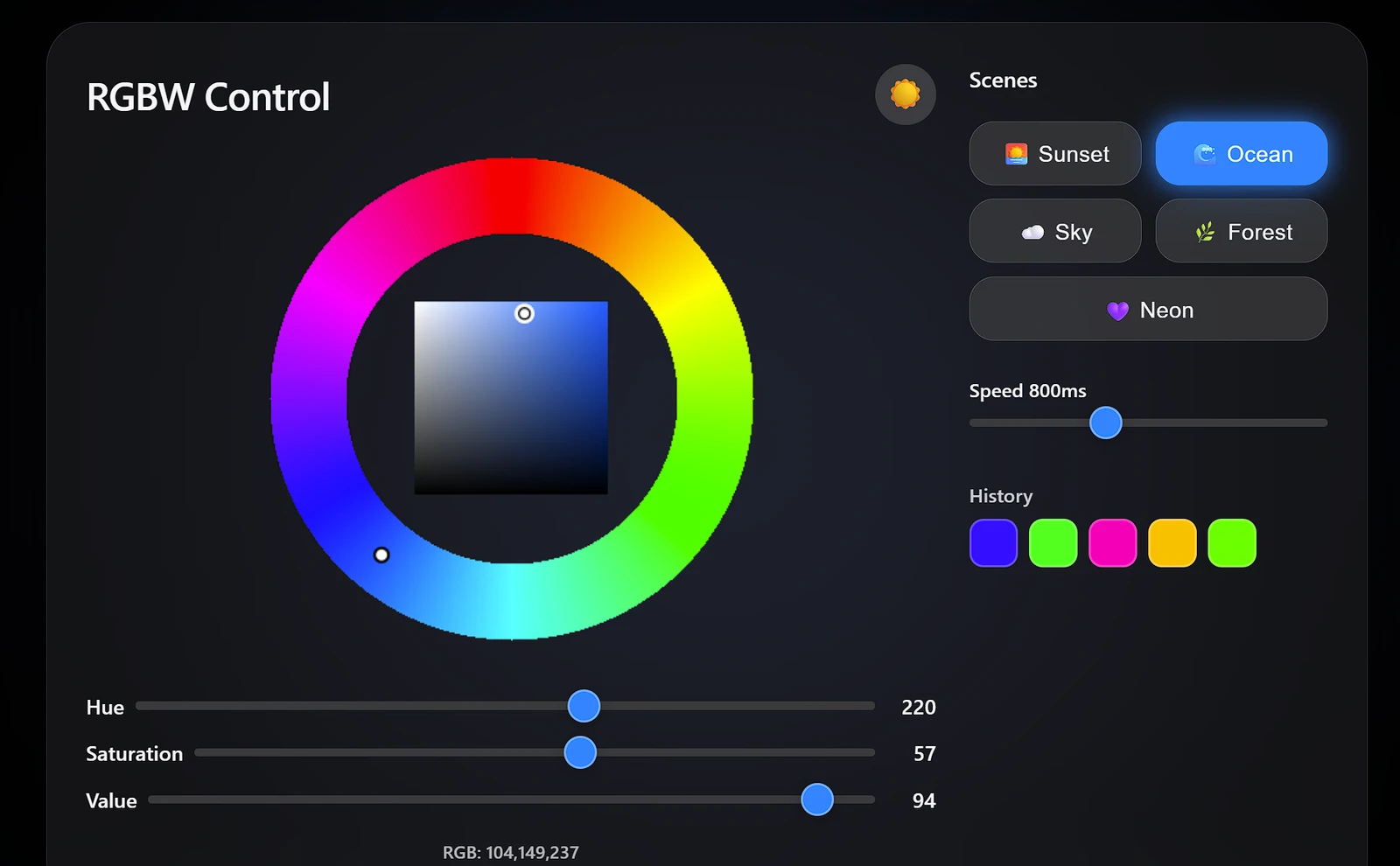
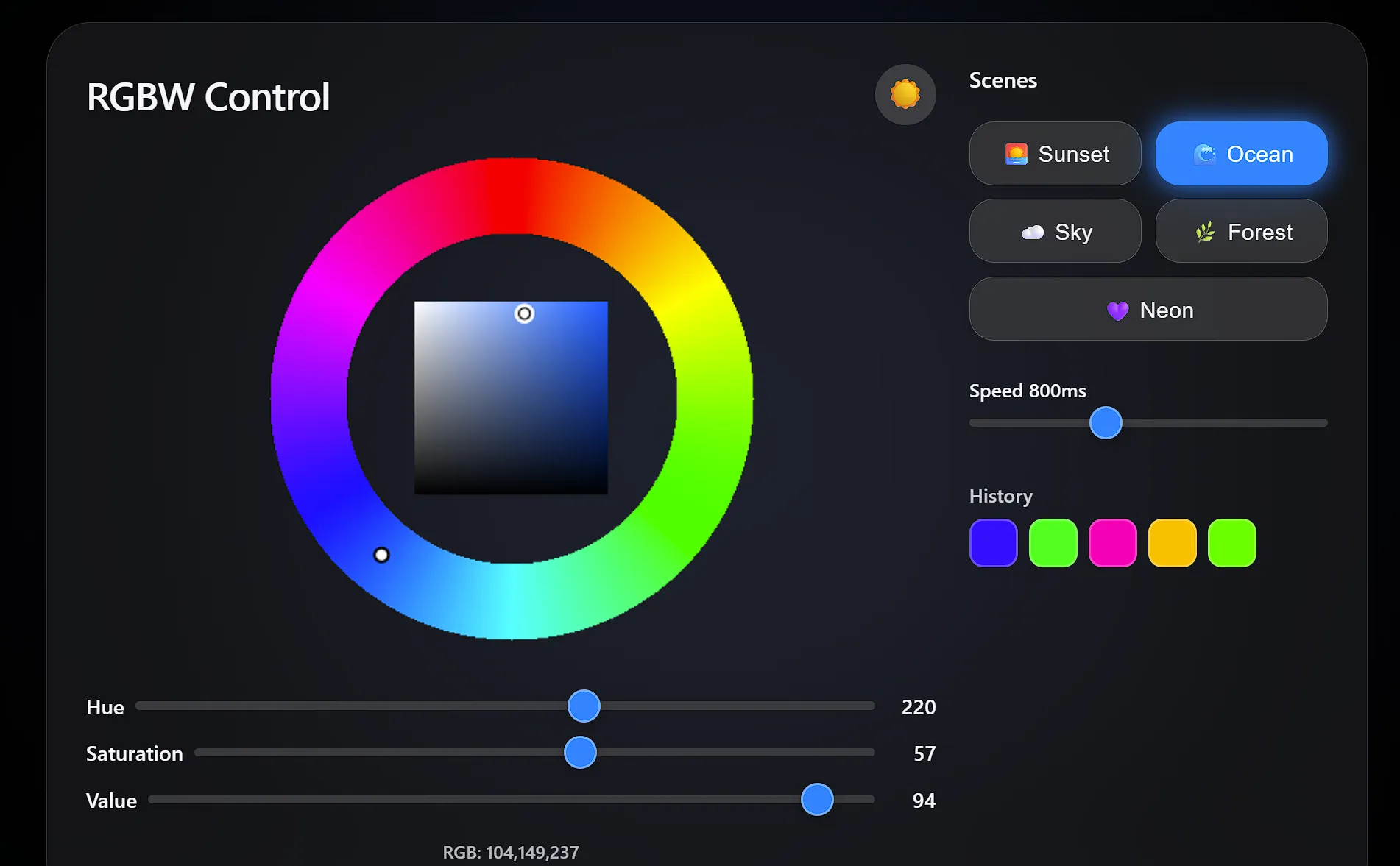
网页界面最后成了整个项目里工作量最大的部分。我想让它看起来精致一点——深色/浅色模式切换、毛玻璃卡片、几个动画场景预设、颜色历史网格,还有页面背景会根据灯带当前颜色发光的氛围效果。用 <canvas> 从零画一个 HSV 色环确实是有点杀鸡用牛刀,但拖起来比三个滑块爽太多了。
颜色处理——RGB 转 RGBW
RGBWW 灯带的关键在于提取白光分量:
void updateLED() {
    byte W = min(R, min(G, B));   // 白光 = 三通道共同分量
    byte r = R - W;                // 纯红
    byte g = G - W;                // 纯绿
    byte b = B - W;                // 纯蓝

    for (int i = 0; i < LED_COUNT; i++) {
        strip.SetPixelColor(i, RgbwColor(r, W, g, b));
    }
    strip.Show();
}
注意: NeoGrbwFeature 的通道顺序为 红、白、绿、蓝——并非通常的 R、G、B、W。
想通了之后这个白光提取其实特别简单。任何 R、G、B 三个通道都有值的颜色——灰色、粉彩、暖色调——里面都包含了一个“白光分量”,大小等于三个通道中的最小值。把这个分量减出来,交给专门的暖白灯珠去发光,剩下的 RGB 值就是你想要的那个纯色调。不拆开的话,像 (255, 200, 150) 这种颜色看起来就会发灰发白,因为 RGB 灯珠同时要兼顾色调和白光——LED 干这个并不擅长。拆开之后颜色干净很多,肉眼可见的差别。
坑在通道顺序:NeoGrbwFeature 映射的是(红、白、绿、蓝),跟你从名字上猜的完全不是一回事。我在这上面浪费了整整 20 分钟,最后老老实实回去翻了库的文档才搞明白。
网页界面
网页提供:
- 色环直观选色
- R、G、B 独立滑块精细调节
- LED 颜色实时预览
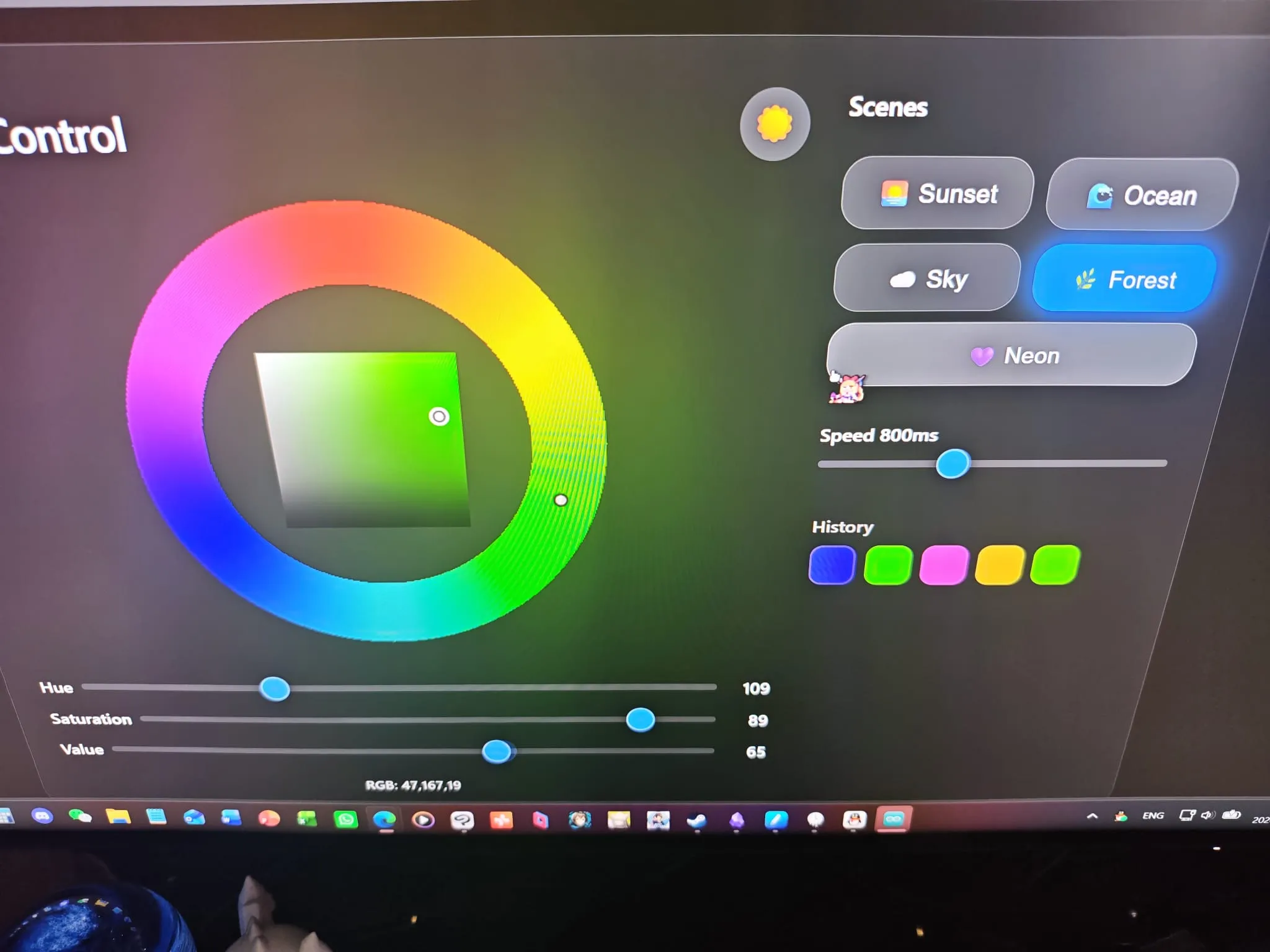
色环是在 <canvas> 上逐像素绘制的——外圈是色相环,用来选基础色调;中间是饱和度/明度三角,用来微调。在外圈拖动改变色相,在三角里拖动改变饱和度和明度。操作逻辑跟桌面端正经取色器一样,只不过它跑在一个单片机的浏览器里。
我还加了五个动画场景预设(日落、海洋、天空、森林、霓虹),用正弦波持续改变颜色。霓虹那个就是全色相循环,速度随便调。点一下场景按钮开始动画,再点一下停止。用来演示灯带效果很方便,不用一直拖着色环转。
整页用 CSS 自定义属性做主题,深色/浅色切换只需要改一套变量。字体栈用的是 Apple 的系统字体,外观走了毛玻璃风格——反正都要做取色器了,不如做得好看点。
完整代码
#include <WiFi.h>
#include <WebServer.h>
#include <NeoPixelBus.h>
// 修改为你的 WiFi 名称
const char* ssid = "YOUR_WIFI_USERNAME_HERE";
// 修改为你的 WiFi 密码
const char* password = "YOUR_WIFI_PASSWORD_HERE";
#define LED_PIN 5
#define LED_COUNT 150
// ★ 使用 NeoGrbwFeature,颜色顺序为 红、白、绿、蓝
NeoPixelBus<NeoGrbwFeature, NeoEsp32Rmt0800KbpsMethod> strip(LED_COUNT, LED_PIN);
WebServer server(80);
int R = 255, G = 0, B = 0;
// ★ 正确的 LED 更新算法(提取白光,重映射通道)
void updateLED() {
byte W = min(R, min(G, B));
byte r = R - W;
byte g = G - W;
byte b = B - W;
for (int i = 0; i < LED_COUNT; i++) {
strip.SetPixelColor(i, RgbwColor(r, W, g, b));
}
strip.Show();
}
void setRGB(String value) {
int p1 = value.indexOf(',');
int p2 = value.indexOf(',', p1 + 1);
R = value.substring(0, p1).toInt();
G = value.substring(p1 + 1, p2).toInt();
B = value.substring(p2 + 1).toInt();
Serial.printf("RGB:%d,%d,%d\n", R, G, B);
updateLED();
}
void setup() {
Serial.begin(115200);
strip.Begin();
strip.Show();
WiFi.begin(ssid, password);
while (WiFi.status() != WL_CONNECTED) {
delay(500);
Serial.print(".");
}
Serial.println();
Serial.println(WiFi.localIP());
server.on("/", []() {
String html = R"rawliteral(
<!DOCTYPE html>
<html>
<head>
<meta charset="utf-8">
<meta name="viewport" content="width=device-width, initial-scale=1.0, user-scalable=yes">
<title>RGBW 控制器</title>
<style>
:root {
--bg: #000;
--text: #f5f5f7;
--card-bg: rgba(28,28,30,0.65);
--slider-track: #3a3a3c;
--slider-thumb: #0a84ff;
--border: rgba(255,255,255,0.15);
--shadow: rgba(0,0,0,0.5);
--glass-blur: blur(30px);
}
body.light {
--bg: #f2f2f7;
--text: #1c1c1e;
--card-bg: rgba(255,255,255,0.7);
--slider-track: #c7c7cc;
--slider-thumb: #007aff;
--border: rgba(0,0,0,0.1);
--shadow: rgba(0,0,0,0.08);
}
body {
font-family: -apple-system, BlinkMacSystemFont, 'Segoe UI', Roboto, Helvetica, Arial, sans-serif;
background-color: var(--bg);
color: var(--text);
margin: 0;
padding: 20px;
display: flex;
justify-content: center;
align-items: center;
min-height: 100vh;
transition: background-color 0.3s ease, color 0.3s ease;
position: relative;
overflow-x: hidden;
}
#bg-glow {
position: fixed;
top: 0; left: 0;
width: 100vw; height: 100vh;
pointer-events: none;
z-index: 0;
background: radial-gradient(circle at 50% 50%, rgba(255,0,0,0.5) 0%, transparent 70%);
transition: background 0.8s ease;
filter: blur(80px);
opacity: 0.8;
}
.container {
position: relative;
z-index: 2;
width: 100%;
max-width: 900px;
background: var(--card-bg);
backdrop-filter: var(--glass-blur);
-webkit-backdrop-filter: var(--glass-blur);
border-radius: 32px;
padding: 30px 28px;
box-shadow: 0 20px 50px var(--shadow);
display: flex;
flex-wrap: wrap;
gap: 24px;
transition: background 0.3s, box-shadow 0.3s;
border: 1px solid var(--border);
}
.left-panel {
flex: 1 1 420px;
min-width: 300px;
display: flex;
flex-direction: column;
align-items: center;
}
.right-panel {
flex: 0 1 260px;
display: flex;
flex-direction: column;
gap: 16px;
}
.header {
display: flex;
justify-content: space-between;
align-items: center;
width: 100%;
margin-bottom: 8px;
}
h1 {
font-size: 28px;
font-weight: 600;
margin: 0;
letter-spacing: -0.5px;
}
.theme-toggle {
background: rgba(255,255,255,0.15);
border: none;
border-radius: 50%;
width: 44px;
height: 44px;
font-size: 22px;
display: flex;
align-items: center;
justify-content: center;
cursor: pointer;
color: var(--text);
transition: background 0.2s, transform 0.2s;
backdrop-filter: blur(10px);
-webkit-backdrop-filter: blur(10px);
line-height: 1;
}
.theme-toggle:hover {
background: rgba(255,255,255,0.25);
transform: scale(1.08);
}
canvas {
display: block;
border-radius: 20px;
background: transparent;
touch-action: none;
margin-bottom: 16px;
}
.slider-group {
width: 100%;
margin: 6px 0;
}
.slider-group label {
display: flex;
align-items: center;
justify-content: space-between;
font-size: 15px;
font-weight: 500;
gap: 8px;
}
.slider-group span {
min-width: 36px;
text-align: right;
font-weight: 600;
}
input[type="range"] {
-webkit-appearance: none;
appearance: none;
width: 100%;
height: 6px;
border-radius: 3px;
background: var(--slider-track);
outline: none;
margin: 8px 0;
}
input[type="range"]::-webkit-slider-thumb {
-webkit-appearance: none;
appearance: none;
width: 24px;
height: 24px;
border-radius: 50%;
background: var(--slider-thumb);
border: 2px solid rgba(255,255,255,0.3);
cursor: pointer;
box-shadow: 0 2px 10px rgba(0,0,0,0.3);
transition: transform 0.15s ease;
}
.scene-buttons {
display: flex;
flex-wrap: wrap;
gap: 10px;
}
.scene-btn {
background: rgba(255,255,255,0.1);
backdrop-filter: blur(15px);
-webkit-backdrop-filter: blur(15px);
border: 1px solid rgba(255,255,255,0.2);
border-radius: 18px;
padding: 12px 10px;
color: var(--text);
font-size: 16px;
font-weight: 500;
cursor: pointer;
display: flex;
align-items: center;
gap: 8px;
transition: all 0.25s ease;
flex: 1 1 calc(50% - 10px);
justify-content: center;
letter-spacing: 0.3px;
}
.scene-btn:hover {
background: rgba(255,255,255,0.2);
border-color: rgba(255,255,255,0.4);
transform: translateY(-2px);
box-shadow: 0 8px 20px rgba(0,0,0,0.3);
}
.scene-btn.active {
background: var(--slider-thumb);
border-color: var(--slider-thumb);
color: white;
box-shadow: 0 0 20px var(--slider-thumb);
}
.speed-slider {
margin-top: 8px;
}
.color-history {
margin-top: 16px;
}
.history-title {
font-size: 14px;
font-weight: 600;
margin-bottom: 8px;
opacity: 0.8;
}
.history-grid {
display: flex;
flex-wrap: wrap;
gap: 8px;
}
.history-swatch {
width: 32px;
height: 32px;
border-radius: 10px;
border: 2px solid rgba(255,255,255,0.25);
cursor: pointer;
transition: transform 0.15s, border-color 0.2s;
backdrop-filter: blur(5px);
-webkit-backdrop-filter: blur(5px);
}
.history-swatch:hover {
transform: scale(1.15);
border-color: rgba(255,255,255,0.6);
}
#info {
font-size: 13px;
margin-top: 12px;
opacity: 0.7;
text-align: center;
font-weight: 500;
}
@media (max-width: 750px) {
.container {
flex-direction: column;
align-items: center;
}
.right-panel {
width: 100%;
flex: unset;
}
}
</style>
</head>
<body class="dark">
<div id="bg-glow"></div>
<div class="container">
<div class="left-panel">
<div class="header">
<h1>RGBW 控制</h1>
<button class="theme-toggle" id="theme-toggle" title="切换深色/浅色模式">☀️</button>
</div>
<canvas id="wheel" width="380" height="380"></canvas>
<div class="slider-group">
<label>色调 <input id="h" type="range" min="0" max="360" value="0"> <span id="h-val">0</span></label>
</div>
<div class="slider-group">
<label>饱和度 <input id="s" type="range" min="0" max="100" value="100"> <span id="s-val">100</span></label>
</div>
<div class="slider-group">
<label>明度 <input id="v" type="range" min="0" max="100" value="100"> <span id="v-val">100</span></label>
</div>
<div id="info">RGB: 255,0,0</div>
</div>
<div class="right-panel">
<div style="font-weight:600; font-size:16px; margin-bottom:4px;">场景</div>
<div class="scene-buttons" id="scene-buttons">
<button class="scene-btn" data-scene="sunset">🌅 日落</button>
<button class="scene-btn" data-scene="ocean">🌊 海洋</button>
<button class="scene-btn" data-scene="sky">☁️ 天空</button>
<button class="scene-btn" data-scene="forest">🌿 森林</button>
<button class="scene-btn" data-scene="neon">💜 霓虹</button>
</div>
<div class="speed-slider">
<label style="font-size:14px; font-weight:500;">速度 <span id="speed-val">800ms</span></label>
<input id="speed" type="range" min="100" max="2000" value="800" step="10">
</div>
<div class="color-history">
<div class="history-title">历史</div>
<div class="history-grid" id="history-grid"></div>
</div>
</div>
</div>
<script>
// ========== 主题切换 ==========
const body = document.body;
const themeToggle = document.getElementById('theme-toggle');
const savedTheme = localStorage.getItem('theme');
if (savedTheme === 'light') {
body.classList.remove('dark'); body.classList.add('light');
themeToggle.innerHTML = '🌙';
} else {
body.classList.add('dark'); body.classList.remove('light');
themeToggle.innerHTML = '☀️';
}
themeToggle.addEventListener('click', () => {
if (body.classList.contains('dark')) {
body.classList.remove('dark'); body.classList.add('light');
themeToggle.innerHTML = '🌙';
localStorage.setItem('theme', 'light');
} else {
body.classList.remove('light'); body.classList.add('dark');
themeToggle.innerHTML = '☀️';
localStorage.setItem('theme', 'dark');
}
});
// ========== 全局变量 ==========
let H = 0, S = 1, V = 1;
const canvas = document.getElementById("wheel");
const ctx = canvas.getContext("2d");
const W = canvas.width, H_canvas = canvas.height;
const CX = W/2, CY = H_canvas/2;
const RING_OUTER = 175;
const RING_INNER = 120;
const SV_SIZE = 140;
const SV_X0 = CX - SV_SIZE/2;
const SV_Y0 = CY - SV_SIZE/2;
let dragging = null;
let animationId = null; // requestAnimationFrame ID
let lastSendTime = 0; // 上次发送请求的时间戳
const SEND_THROTTLE = 50; // 50ms 内最多发一次请求
let activeScene = null;
const colorHistory = [];
const MAX_HISTORY = 15;
// ========== HSV/RGB 转换 ==========
function hsvToRgb(h, s, v) {
let c = v * s;
let x = c * (1 - Math.abs((h / 60) % 2 - 1));
let m = v - c;
let r = 0, g = 0, b = 0;
if (h < 60) { r = c; g = x; }
else if (h < 120) { r = x; g = c; }
else if (h < 180) { g = c; b = x; }
else if (h < 240) { g = x; b = c; }
else if (h < 300) { r = x; b = c; }
else { r = c; b = x; }
return [
Math.round((r + m) * 255),
Math.round((g + m) * 255),
Math.round((b + m) * 255)
];
}
function rgbToHsv(r, g, b) {
r /= 255; g /= 255; b /= 255;
let max = Math.max(r,g,b), min = Math.min(r,g,b);
let h, s, v = max;
let d = max - min;
s = max === 0 ? 0 : d / max;
if (max === min) h = 0;
else {
switch (max) {
case r: h = (g - b) / d + (g < b ? 6 : 0); break;
case g: h = (b - r) / d + 2; break;
case b: h = (r - g) / d + 4; break;
}
h /= 6;
}
return { h: h * 360, s: s, v: v };
}
// ========== 背景发光更新 ==========
function updateGlow(rgb) {
document.getElementById('bg-glow').style.background =
`radial-gradient(circle at 50% 50%, rgba(${rgb[0]},${rgb[1]},${rgb[2]},0.45) 0%, transparent 70%)`;
}
// ========== 绘制 ==========
function drawBase() {
let img = ctx.createImageData(W, H_canvas);
for (let y = 0; y < H_canvas; y++) {
for (let x = 0; x < W; x++) {
let dx = x - CX, dy = y - CY;
let r = Math.sqrt(dx*dx + dy*dy);
if (r >= RING_INNER && r <= RING_OUTER) {
let angle = Math.atan2(dx, -dy);
let hue = (angle * 180 / Math.PI + 360) % 360;
let rgb = hsvToRgb(hue, 1, 1);
let i = (y * W + x) * 4;
img.data[i] = rgb[0]; img.data[i+1] = rgb[1]; img.data[i+2] = rgb[2]; img.data[i+3] = 255;
}
}
}
for (let y = 0; y < SV_SIZE; y++) {
for (let x = 0; x < SV_SIZE; x++) {
let px = SV_X0 + x, py = SV_Y0 + y;
if (px < 0 || px >= W || py < 0 || py >= H_canvas) continue;
let sat = x / SV_SIZE;
let val = 1 - y / SV_SIZE;
let rgb = hsvToRgb(H, sat, val);
let i = (py * W + px) * 4;
img.data[i] = rgb[0]; img.data[i+1] = rgb[1]; img.data[i+2] = rgb[2]; img.data[i+3] = 255;
}
}
ctx.putImageData(img, 0, 0);
}
function drawIndicators() {
let midR = (RING_INNER + RING_OUTER) / 2;
let radH = H * Math.PI / 180;
let wx = CX + midR * Math.sin(radH);
let wy = CY - midR * Math.cos(radH);
ctx.beginPath(); ctx.arc(wx, wy, 5, 0, 2*Math.PI);
ctx.fillStyle = "white"; ctx.fill();
ctx.strokeStyle = "black"; ctx.lineWidth = 2; ctx.stroke();
let svx = SV_X0 + S * SV_SIZE;
let svy = SV_Y0 + (1 - V) * SV_SIZE;
ctx.beginPath(); ctx.arc(svx, svy, 6, 0, 2*Math.PI);
ctx.fillStyle = hsvToRgb(H, S, V)[0] > 128 ? "black" : "white";
ctx.fill();
ctx.strokeStyle = "white"; ctx.lineWidth = 2.5; ctx.stroke();
ctx.beginPath(); ctx.arc(svx, svy, 4, 0, 2*Math.PI);
ctx.strokeStyle = "black"; ctx.lineWidth = 1.2; ctx.stroke();
}
function drawAll() { drawBase(); drawIndicators(); }
// ========== 网络发送 ==========
function send() {
let rgb = hsvToRgb(H, S, V);
document.getElementById("info").innerHTML = "RGB: " + rgb.join(",");
fetch("/rgb?value=" + rgb.join(","));
updateGlow(rgb);
}
function updateSliders() {
document.getElementById("h").value = H;
document.getElementById("s").value = Math.round(S * 100);
document.getElementById("v").value = Math.round(V * 100);
document.getElementById("h-val").textContent = Math.round(H);
document.getElementById("s-val").textContent = Math.round(S * 100);
document.getElementById("v-val").textContent = Math.round(V * 100);
}
// ========== 坐标修正 ==========
function getCanvasCoords(e) {
let rect = canvas.getBoundingClientRect();
let scaleX = canvas.width / rect.width;
let scaleY = canvas.height / rect.height;
return { x: (e.clientX - rect.left) * scaleX, y: (e.clientY - rect.top) * scaleY };
}
// ========== 交互事件 ==========
function handleDown(e) {
e.preventDefault();
stopAnimation();
let pos = getCanvasCoords(e);
let dx = pos.x - CX, dy = pos.y - CY;
let r = Math.sqrt(dx*dx + dy*dy);
if (r >= RING_INNER && r <= RING_OUTER) {
dragging = 'wheel';
setHueFromPos(pos);
} else if (r < RING_INNER) {
if (pos.x >= SV_X0 && pos.x <= SV_X0 + SV_SIZE && pos.y >= SV_Y0 && pos.y <= SV_Y0 + SV_SIZE) {
dragging = 'sv';
setSVFromPos(pos);
}
}
drawAll(); updateSliders(); send();
}
function handleMove(e) {
if (!dragging) return;
e.preventDefault();
let pos = getCanvasCoords(e);
if (dragging === 'wheel') setHueFromPos(pos);
else if (dragging === 'sv') setSVFromPos(pos);
drawAll(); updateSliders(); send();
}
function handleUp(e) {
if (dragging) {
addColorToHistory(hsvToRgb(H, S, V));
}
dragging = null;
}
function setHueFromPos(pos) {
let dx = pos.x - CX, dy = pos.y - CY;
let angle = Math.atan2(dx, -dy);
H = (angle * 180 / Math.PI + 360) % 360;
}
function setSVFromPos(pos) {
S = (pos.x - SV_X0) / SV_SIZE;
V = 1 - (pos.y - SV_Y0) / SV_SIZE;
S = Math.min(1, Math.max(0, S));
V = Math.min(1, Math.max(0, V));
}
// 触摸事件
function handleTouchStart(e) {
e.preventDefault();
stopAnimation();
if (e.touches.length === 1) {
const t = e.touches[0];
handleDown({ clientX: t.clientX, clientY: t.clientY, preventDefault: ()=>{} });
}
}
function handleTouchMove(e) {
if (!dragging) return;
e.preventDefault();
if (e.touches.length === 1) {
const t = e.touches[0];
handleMove({ clientX: t.clientX, clientY: t.clientY, preventDefault: ()=>{} });
}
}
function handleTouchEnd(e) { handleUp(); }
canvas.addEventListener('mousedown', handleDown);
document.addEventListener('mousemove', handleMove);
document.addEventListener('mouseup', handleUp);
canvas.addEventListener('touchstart', handleTouchStart, { passive: false });
document.addEventListener('touchmove', handleTouchMove, { passive: false });
document.addEventListener('touchend', handleTouchEnd);
// 滑块事件(手动修改时停止动画)
['h','s','v'].forEach(id => {
document.getElementById(id).addEventListener('input', function() {
stopAnimation();
if (id === 'h') H = Number(this.value);
else if (id === 's') S = Number(this.value)/100;
else if (id === 'v') V = Number(this.value)/100;
drawAll(); updateSliders(); send();
});
document.getElementById(id).addEventListener('change', function() {
addColorToHistory(hsvToRgb(H, S, V));
});
});
// ========== 动画控制 ==========
function stopAnimation() {
if (animationId) {
cancelAnimationFrame(animationId);
animationId = null;
}
document.querySelectorAll('.scene-btn').forEach(btn => btn.classList.remove('active'));
activeScene = null;
}
function startScene(scene) {
stopAnimation();
activeScene = scene;
document.querySelector(`.scene-btn[data-scene="${scene}"]`).classList.add('active');
const speed = parseInt(document.getElementById('speed').value) / 1000; // 转为秒,用于数学频率
function frame() {
const t = performance.now() / 1000;
let h, s, v;
switch (scene) {
case 'sunset':
h = 30 + 15 * Math.sin(t * speed * 0.5);
s = 0.9 + 0.1 * Math.sin(t * speed * 0.7);
v = 0.7 + 0.3 * Math.cos(t * speed * 0.4);
break;
case 'ocean':
h = 200 + 20 * Math.sin(t * speed * 0.8);
s = 0.7 + 0.3 * Math.sin(t * speed * 1.2);
v = 0.6 + 0.4 * Math.abs(Math.sin(t * speed * 1.5));
break;
case 'sky':
h = 210 + 15 * Math.sin(t * speed * 0.3);
s = 0.5 + 0.2 * Math.sin(t * speed * 0.6);
v = 0.9 + 0.1 * Math.cos(t * speed * 0.2);
break;
case 'forest':
h = 120 + 15 * Math.sin(t * speed * 0.6);
s = 0.6 + 0.3 * Math.sin(t * speed * 0.9);
v = 0.5 + 0.3 * Math.abs(Math.sin(t * speed * 1.1));
break;
case 'neon':
h = (t * speed * 60) % 360;
s = 1;
v = 0.8 + 0.2 * Math.sin(t * speed * 2);
break;
}
H = h % 360; S = Math.min(1, Math.max(0, s)); V = Math.min(1, Math.max(0, v));
drawAll();
updateSliders();
const now = performance.now();
if (now - lastSendTime > SEND_THROTTLE) {
send();
lastSendTime = now;
}
animationId = requestAnimationFrame(frame);
}
lastSendTime = 0;
frame();
}
// 场景按钮
document.querySelectorAll('.scene-btn').forEach(btn => {
btn.addEventListener('click', () => {
const scene = btn.dataset.scene;
if (activeScene === scene) {
stopAnimation();
} else {
startScene(scene);
}
});
});
// 速度滑块
document.getElementById('speed').addEventListener('input', function() {
document.getElementById('speed-val').textContent = this.value + 'ms';
// 动画会实时读取 speed 值,无需重启动画
});
// ========== 色彩历史 ==========
function addColorToHistory(rgb) {
if (colorHistory.length > 0) {
let last = colorHistory[colorHistory.length-1];
if (last[0]===rgb[0] && last[1]===rgb[1] && last[2]===rgb[2]) return;
}
colorHistory.push([...rgb]);
if (colorHistory.length > MAX_HISTORY) colorHistory.shift();
renderHistory();
}
function renderHistory() {
const grid = document.getElementById('history-grid');
grid.innerHTML = '';
colorHistory.forEach((rgb, idx) => {
const swatch = document.createElement('div');
swatch.className = 'history-swatch';
swatch.style.background = `rgb(${rgb[0]},${rgb[1]},${rgb[2]})`;
swatch.addEventListener('click', () => {
stopAnimation();
const { h, s, v } = rgbToHsv(rgb[0], rgb[1], rgb[2]);
H = h; S = s; V = v;
drawAll(); updateSliders(); send();
});
grid.appendChild(swatch);
});
}
// 初始化
drawAll();
updateSliders();
send();
updateGlow(hsvToRgb(H, S, V));
</script>
</body>
</html>
)rawliteral";
server.send(200, "text/html;charset=utf-8", html);
});
server.on("/rgb", []() {
if (server.hasArg("value")) {
setRGB(server.arg("value"));
}
server.send(200, "text/plain", "OK");
});
server.begin();
}
void loop() {
server.handleClient();
}结果
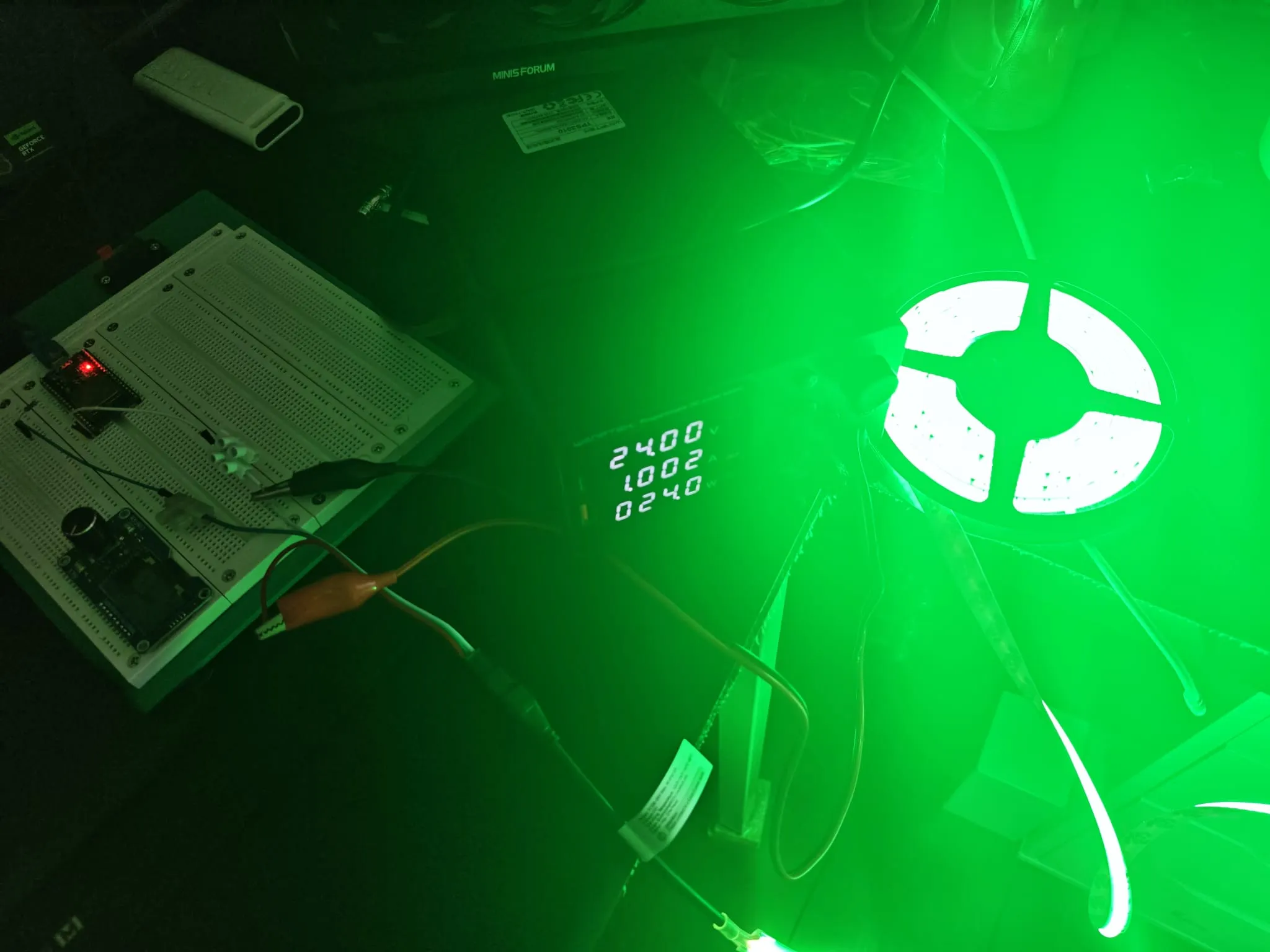
ESP32 成功提供响应式颜色控制页面。用户可通过色环或独立通道调节颜色,FCOB 灯带即时响应。RGB→RGBW 算法输出色彩干净,暖白通道可独立控制。
这种项目属于硬件没几样、但成品看起来特别像回事的类型——就一块 ESP32 加一条灯带,但网页界面一打开,感觉就像个正经产品。色环拖起来很解压,场景动画演示效果也好,白光提取让粉彩和暖色调看起来是那个味道而不是灰蒙蒙的。后面还想接着搞——多加几个场景、接 MQTT、看看能不能挂到 Home Assistant 上。不过现阶段它已经做到了我最开始想要的效果:选个颜色,灯带亮起来,不用装任何 App。