Overzicht
Hier kwamen de vorige twee experimenten samen. Ik had de FCOB-strip al aan de praat met de ESP32 en ik wist hoe ik een webpagina via WiFi moest serveren. De logische volgende stap was een echte kleurenkiezer: niet zomaar RGB-schuifregelaars, maar een echt kleurenwiel waar je in kon slepen, terwijl de strip in realtime meewerkt.
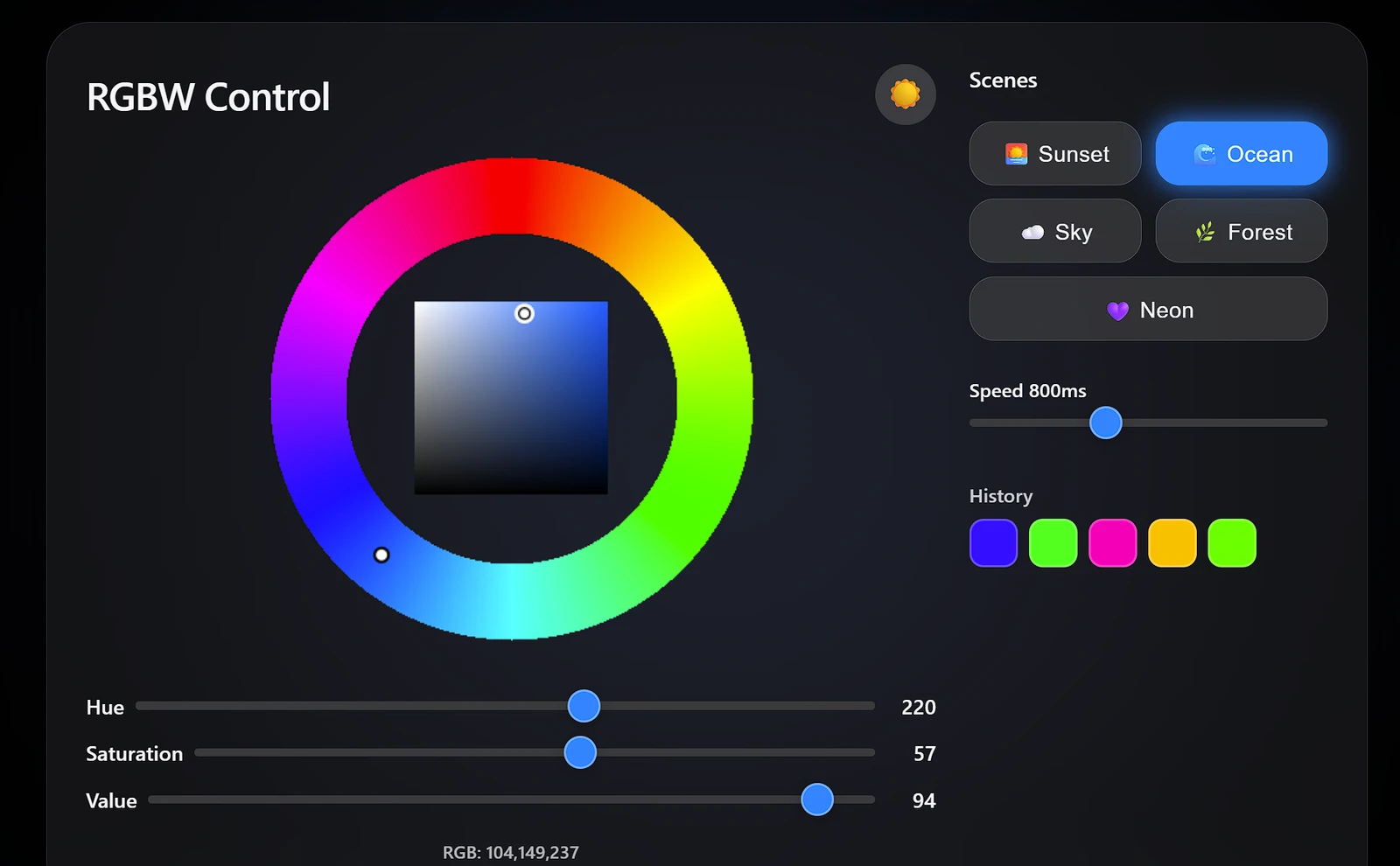
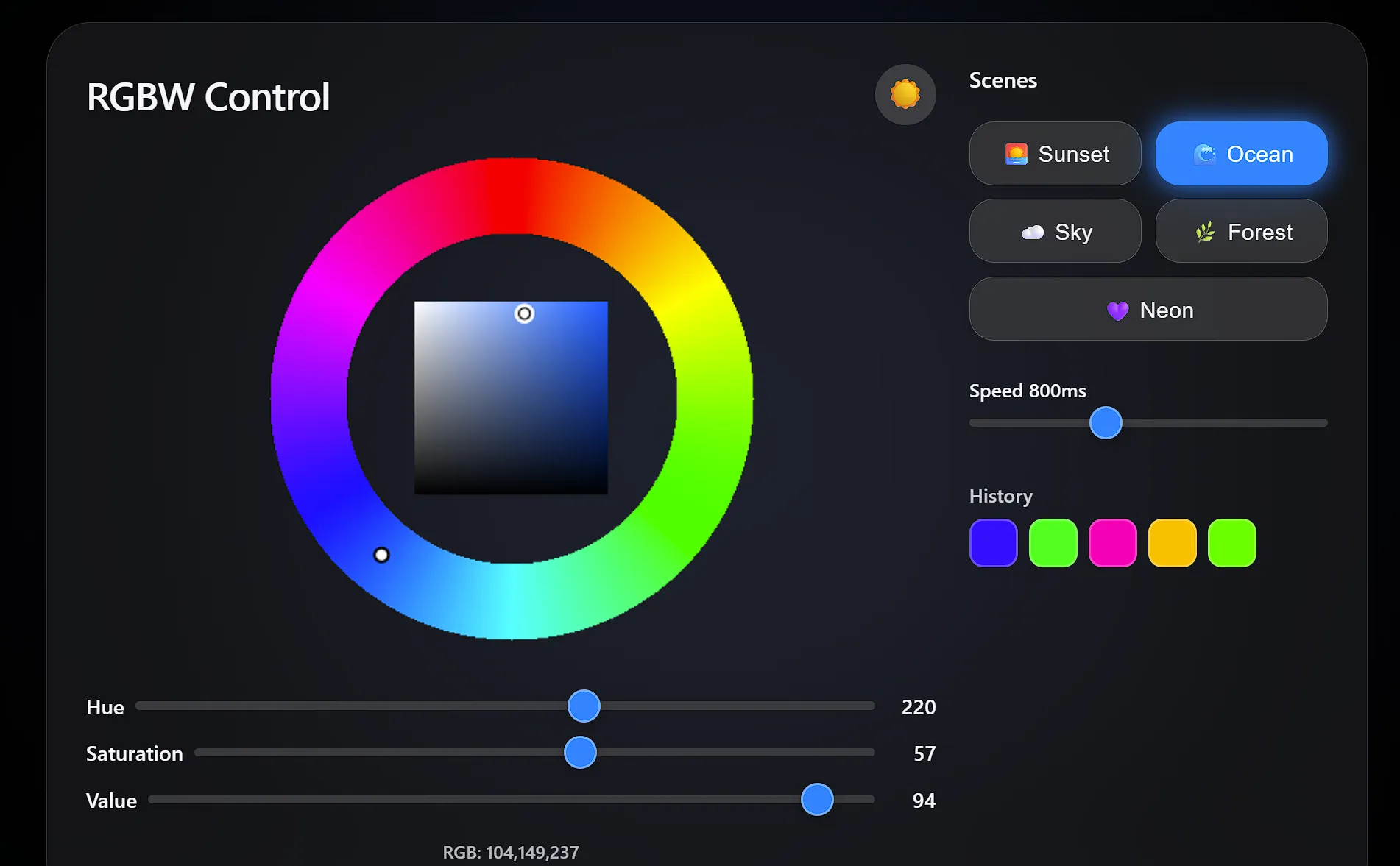
De webinterface werd uiteindelijk het grootste deel van het project. Ik wilde dat het afgewerkt aanvoelde: een donker/licht-moduswisselaar, een glassmorphism-kaart, geanimeerde scenepresets, een kleurgeschiedenisraster en een achtergrondgloed die meebeweegt met de kleur die de strip op dat moment toont. Het HSV-kleurenwiel vanaf nul bouwen op een <canvas> was waarschijnlijk overkill, maar het is veel bevredigender in gebruik dan drie schuifregelaars.
Kleurverwerking: RGB naar RGBW
De grootste uitdaging bij RGBWW-strips is het extraheren van de witte component:
void updateLED() {
    byte W = min(R, min(G, B));   // white = common component
    byte r = R - W;                // pure red
    byte g = G - W;                // pure green
    byte b = B - W;                // pure blue

    for (int i = 0; i < LED_COUNT; i++) {
        strip.SetPixelColor(i, RgbwColor(r, W, g, b));
    }
    strip.Show();
}
Opmerking: NeoGrbwFeature gebruikt de kanaalvolgorde Rood, Wit, Groen, Blauw, niet R, G, B, W.
De witextractie is verrassend eenvoudig als je er even over nadenkt. Elke kleur waarbij R, G en B allemaal een waarde hebben (grijstinten, pastels, warme tinten) bevat een „witte“ component die gelijk is aan de kleinste van de drie kanalen. Trek die eraf, stuur hem naar de speciale warmwitte LED, en de resterende RGB-waarden geven je de pure tint. Zonder deze stap zou een kleur als (255, 200, 150) er vaal uitzien, omdat de RGB-LED’s tegelijkertijd zowel de tint als de witte component zouden moeten produceren, en daar zijn LED’s niet goed in. Door ze te splitsen krijg je merkbaar schonere, nauwkeurigere kleuren.
De valkuil is de kanaalvolgorde: NeoGrbwFeature verwijst naar (Rood, Wit, Groen, Blauw), en dat is… niet wat je op basis van de naam zou verwachten. Daar heb ik ruim 20 minuten aan verspild voordat ik de bibliotheekdocumentatie fatsoenlijk las.
Webinterface
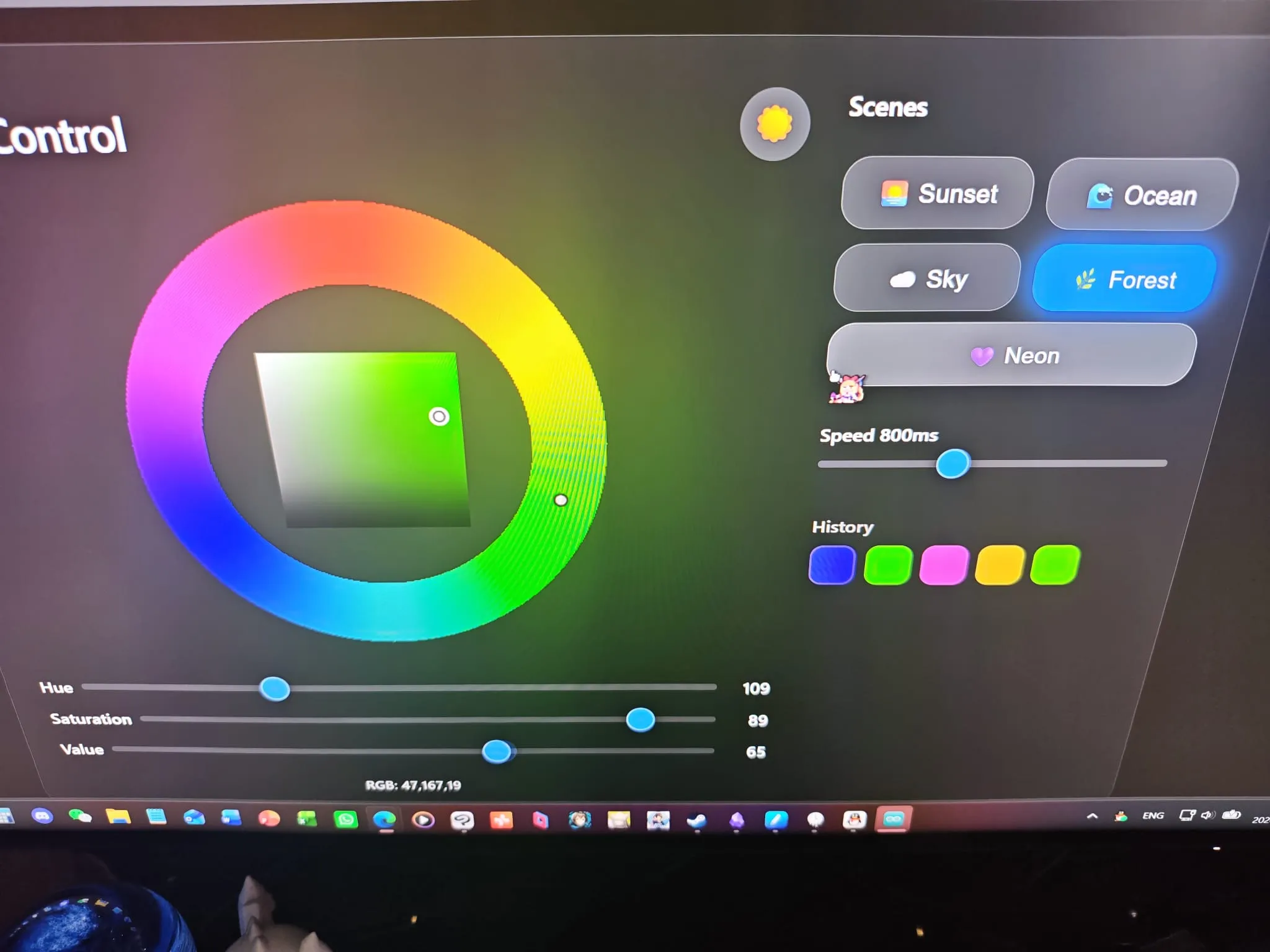
De webpagina biedt:
- Een kleurenwiel voor intuïtieve tintselectie
- Individuele R-, G- en B-schuifregelaars voor fijne controle
- Realtime LED-voorbeeldweergave
Het kleurenwiel wordt pixel voor pixel gerenderd op een <canvas>: een tintring aan de buitenkant om de basiskleur te kiezen, en een verzadigings/waarde-driehoek in het midden voor de fijnafstelling. Slepen op de ring stelt de tint in; slepen in de driehoek stelt verzadiging en waarde in. Het is hetzelfde interactiemodel als een echte desktopkleurenkiezer, alleen draait het in een browser op een microcontroller.
Ik voegde ook vijf geanimeerde scenepresets toe (sunset, ocean, sky, forest, neon) die de kleur continu variëren met behulp van sinusgolfmodulatie. De neon-scene fietst gewoon door het volledige tintspectrum op de snelheid die je instelt. Een sceneknop aantikken start de animatie; nogmaals aantikken stopt hem. Het is een leuke manier om de strip te demonstreren zonder constant schuifregelaars te moeten slepen.
De hele pagina gebruikt aangepaste CSS-eigenschappen voor thema’s, zodat de donker/licht-wisselaar alle kleuren op één plek omzet. Ik ging voor de systeemfontstack van Apple en de glassmorphism-look, want tja, als je dan toch een kleurenkiezer bouwt, kan hij net zo goed mooi zijn.
Volledige code
#include <WiFi.h>
#include <WebServer.h>
#include <NeoPixelBus.h>
const char* ssid = "YOUR_WIFI_USERNAME_HERE"; // Replace with your WiFi SSID
const char* password = "YOUR_WIFI_PASSWORD_HERE"; // Replace with your WiFi password
#define LED_PIN 5
#define LED_COUNT 150
// Use NeoGrbwFeature, color order is Red, White, Green, Blue
NeoPixelBus<NeoGrbwFeature, NeoEsp32Rmt0800KbpsMethod> strip(LED_COUNT, LED_PIN);
WebServer server(80);
int R = 255, G = 0, B = 0;
// Correct LED update algorithm (extract white, remap channels)
void updateLED() {
byte W = min(R, min(G, B));
byte r = R - W;
byte g = G - W;
byte b = B - W;
for (int i = 0; i < LED_COUNT; i++) {
strip.SetPixelColor(i, RgbwColor(r, W, g, b));
}
strip.Show();
}
void setRGB(String value) {
int p1 = value.indexOf(',');
int p2 = value.indexOf(',', p1 + 1);
R = value.substring(0, p1).toInt();
G = value.substring(p1 + 1, p2).toInt();
B = value.substring(p2 + 1).toInt();
Serial.printf("RGB:%d,%d,%d\n", R, G, B);
updateLED();
}
void setup() {
Serial.begin(115200);
strip.Begin();
strip.Show();
WiFi.begin(ssid, password);
while (WiFi.status() != WL_CONNECTED) {
delay(500);
Serial.print(".");
}
Serial.println();
Serial.println(WiFi.localIP());
server.on("/", []() {
String html = R"rawliteral(
<!DOCTYPE html>
<html>
<head>
<meta charset="utf-8">
<meta name="viewport" content="width=device-width, initial-scale=1.0, user-scalable=yes">
<title>RGBW Controller</title>
<style>
:root {
--bg: #000;
--text: #f5f5f7;
--card-bg: rgba(28,28,30,0.65);
--slider-track: #3a3a3c;
--slider-thumb: #0a84ff;
--border: rgba(255,255,255,0.15);
--shadow: rgba(0,0,0,0.5);
--glass-blur: blur(30px);
}
body.light {
--bg: #f2f2f7;
--text: #1c1c1e;
--card-bg: rgba(255,255,255,0.7);
--slider-track: #c7c7cc;
--slider-thumb: #007aff;
--border: rgba(0,0,0,0.1);
--shadow: rgba(0,0,0,0.08);
}
body {
font-family: -apple-system, BlinkMacSystemFont, 'Segoe UI', Roboto, Helvetica, Arial, sans-serif;
background-color: var(--bg);
color: var(--text);
margin: 0;
padding: 20px;
display: flex;
justify-content: center;
align-items: center;
min-height: 100vh;
transition: background-color 0.3s ease, color 0.3s ease;
position: relative;
overflow-x: hidden;
}
#bg-glow {
position: fixed;
top: 0; left: 0;
width: 100vw; height: 100vh;
pointer-events: none;
z-index: 0;
background: radial-gradient(circle at 50% 50%, rgba(255,0,0,0.5) 0%, transparent 70%);
transition: background 0.8s ease;
filter: blur(80px);
opacity: 0.8;
}
.container {
position: relative;
z-index: 2;
width: 100%;
max-width: 900px;
background: var(--card-bg);
backdrop-filter: var(--glass-blur);
-webkit-backdrop-filter: var(--glass-blur);
border-radius: 32px;
padding: 30px 28px;
box-shadow: 0 20px 50px var(--shadow);
display: flex;
flex-wrap: wrap;
gap: 24px;
transition: background 0.3s, box-shadow 0.3s;
border: 1px solid var(--border);
}
.left-panel {
flex: 1 1 420px;
min-width: 300px;
display: flex;
flex-direction: column;
align-items: center;
}
.right-panel {
flex: 0 1 260px;
display: flex;
flex-direction: column;
gap: 16px;
}
.header {
display: flex;
justify-content: space-between;
align-items: center;
width: 100%;
margin-bottom: 8px;
}
h1 {
font-size: 28px;
font-weight: 600;
margin: 0;
letter-spacing: -0.5px;
}
.theme-toggle {
background: rgba(255,255,255,0.15);
border: none;
border-radius: 50%;
width: 44px;
height: 44px;
font-size: 22px;
display: flex;
align-items: center;
justify-content: center;
cursor: pointer;
color: var(--text);
transition: background 0.2s, transform 0.2s;
backdrop-filter: blur(10px);
-webkit-backdrop-filter: blur(10px);
line-height: 1;
}
.theme-toggle:hover {
background: rgba(255,255,255,0.25);
transform: scale(1.08);
}
canvas {
display: block;
border-radius: 20px;
background: transparent;
touch-action: none;
margin-bottom: 16px;
}
.slider-group {
width: 100%;
margin: 6px 0;
}
.slider-group label {
display: flex;
align-items: center;
justify-content: space-between;
font-size: 15px;
font-weight: 500;
gap: 8px;
}
.slider-group span {
min-width: 36px;
text-align: right;
font-weight: 600;
}
input[type="range"] {
-webkit-appearance: none;
appearance: none;
width: 100%;
height: 6px;
border-radius: 3px;
background: var(--slider-track);
outline: none;
margin: 8px 0;
}
input[type="range"]::-webkit-slider-thumb {
-webkit-appearance: none;
appearance: none;
width: 24px;
height: 24px;
border-radius: 50%;
background: var(--slider-thumb);
border: 2px solid rgba(255,255,255,0.3);
cursor: pointer;
box-shadow: 0 2px 10px rgba(0,0,0,0.3);
transition: transform 0.15s ease;
}
.scene-buttons {
display: flex;
flex-wrap: wrap;
gap: 10px;
}
.scene-btn {
background: rgba(255,255,255,0.1);
backdrop-filter: blur(15px);
-webkit-backdrop-filter: blur(15px);
border: 1px solid rgba(255,255,255,0.2);
border-radius: 18px;
padding: 12px 10px;
color: var(--text);
font-size: 16px;
font-weight: 500;
cursor: pointer;
display: flex;
align-items: center;
gap: 8px;
transition: all 0.25s ease;
flex: 1 1 calc(50% - 10px);
justify-content: center;
letter-spacing: 0.3px;
}
.scene-btn:hover {
background: rgba(255,255,255,0.2);
border-color: rgba(255,255,255,0.4);
transform: translateY(-2px);
box-shadow: 0 8px 20px rgba(0,0,0,0.3);
}
.scene-btn.active {
background: var(--slider-thumb);
border-color: var(--slider-thumb);
color: white;
box-shadow: 0 0 20px var(--slider-thumb);
}
.speed-slider {
margin-top: 8px;
}
.color-history {
margin-top: 16px;
}
.history-title {
font-size: 14px;
font-weight: 600;
margin-bottom: 8px;
opacity: 0.8;
}
.history-grid {
display: flex;
flex-wrap: wrap;
gap: 8px;
}
.history-swatch {
width: 32px;
height: 32px;
border-radius: 10px;
border: 2px solid rgba(255,255,255,0.25);
cursor: pointer;
transition: transform 0.15s, border-color 0.2s;
backdrop-filter: blur(5px);
-webkit-backdrop-filter: blur(5px);
}
.history-swatch:hover {
transform: scale(1.15);
border-color: rgba(255,255,255,0.6);
}
#info {
font-size: 13px;
margin-top: 12px;
opacity: 0.7;
text-align: center;
font-weight: 500;
}
@media (max-width: 750px) {
.container {
flex-direction: column;
align-items: center;
}
.right-panel {
width: 100%;
flex: unset;
}
}
</style>
</head>
<body class="dark">
<div id="bg-glow"></div>
<div class="container">
<div class="left-panel">
<div class="header">
<h1>RGBW Control</h1>
<button class="theme-toggle" id="theme-toggle" title="Toggle dark/light mode">☀️</button>
</div>
<canvas id="wheel" width="380" height="380"></canvas>
<div class="slider-group">
<label>Hue <input id="h" type="range" min="0" max="360" value="0"> <span id="h-val">0</span></label>
</div>
<div class="slider-group">
<label>Saturation <input id="s" type="range" min="0" max="100" value="100"> <span id="s-val">100</span></label>
</div>
<div class="slider-group">
<label>Value <input id="v" type="range" min="0" max="100" value="100"> <span id="v-val">100</span></label>
</div>
<div id="info">RGB: 255,0,0</div>
</div>
<div class="right-panel">
<div style="font-weight:600; font-size:16px; margin-bottom:4px;">Scenes</div>
<div class="scene-buttons" id="scene-buttons">
<button class="scene-btn" data-scene="sunset">🌅 Sunset</button>
<button class="scene-btn" data-scene="ocean">🌊 Ocean</button>
<button class="scene-btn" data-scene="sky">☁️ Sky</button>
<button class="scene-btn" data-scene="forest">🌿 Forest</button>
<button class="scene-btn" data-scene="neon">💜 Neon</button>
</div>
<div class="speed-slider">
<label style="font-size:14px; font-weight:500;">Speed <span id="speed-val">800ms</span></label>
<input id="speed" type="range" min="100" max="2000" value="800" step="10">
</div>
<div class="color-history">
<div class="history-title">History</div>
<div class="history-grid" id="history-grid"></div>
</div>
</div>
</div>
<script>
// ========== Theme Toggle ==========
const body = document.body;
const themeToggle = document.getElementById('theme-toggle');
const savedTheme = localStorage.getItem('theme');
if (savedTheme === 'light') {
body.classList.remove('dark'); body.classList.add('light');
themeToggle.innerHTML = '🌙';
} else {
body.classList.add('dark'); body.classList.remove('light');
themeToggle.innerHTML = '☀️';
}
themeToggle.addEventListener('click', () => {
if (body.classList.contains('dark')) {
body.classList.remove('dark'); body.classList.add('light');
themeToggle.innerHTML = '🌙';
localStorage.setItem('theme', 'light');
} else {
body.classList.remove('light'); body.classList.add('dark');
themeToggle.innerHTML = '☀️';
localStorage.setItem('theme', 'dark');
}
});
// ========== Global Variables ==========
let H = 0, S = 1, V = 1;
const canvas = document.getElementById("wheel");
const ctx = canvas.getContext("2d");
const W = canvas.width, H_canvas = canvas.height;
const CX = W/2, CY = H_canvas/2;
const RING_OUTER = 175;
const RING_INNER = 120;
const SV_SIZE = 140;
const SV_X0 = CX - SV_SIZE/2;
const SV_Y0 = CY - SV_SIZE/2;
let dragging = null;
let animationId = null; // requestAnimationFrame ID
let lastSendTime = 0; // timestamp of last request sent
const SEND_THROTTLE = 50; // max one request per 50ms
let activeScene = null;
const colorHistory = [];
const MAX_HISTORY = 15;
// ========== HSV/RGB Conversion ==========
function hsvToRgb(h, s, v) {
let c = v * s;
let x = c * (1 - Math.abs((h / 60) % 2 - 1));
let m = v - c;
let r = 0, g = 0, b = 0;
if (h < 60) { r = c; g = x; }
else if (h < 120) { r = x; g = c; }
else if (h < 180) { g = c; b = x; }
else if (h < 240) { g = x; b = c; }
else if (h < 300) { r = x; b = c; }
else { r = c; b = x; }
return [
Math.round((r + m) * 255),
Math.round((g + m) * 255),
Math.round((b + m) * 255)
];
}
function rgbToHsv(r, g, b) {
r /= 255; g /= 255; b /= 255;
let max = Math.max(r,g,b), min = Math.min(r,g,b);
let h, s, v = max;
let d = max - min;
s = max === 0 ? 0 : d / max;
if (max === min) h = 0;
else {
switch (max) {
case r: h = (g - b) / d + (g < b ? 6 : 0); break;
case g: h = (b - r) / d + 2; break;
case b: h = (r - g) / d + 4; break;
}
h /= 6;
}
return { h: h * 360, s: s, v: v };
}
// ========== Background Glow Update ==========
function updateGlow(rgb) {
document.getElementById('bg-glow').style.background =
`radial-gradient(circle at 50% 50%, rgba(${rgb[0]},${rgb[1]},${rgb[2]},0.45) 0%, transparent 70%)`;
}
// ========== Drawing ==========
function drawBase() {
let img = ctx.createImageData(W, H_canvas);
for (let y = 0; y < H_canvas; y++) {
for (let x = 0; x < W; x++) {
let dx = x - CX, dy = y - CY;
let r = Math.sqrt(dx*dx + dy*dy);
if (r >= RING_INNER && r <= RING_OUTER) {
let angle = Math.atan2(dx, -dy);
let hue = (angle * 180 / Math.PI + 360) % 360;
let rgb = hsvToRgb(hue, 1, 1);
let i = (y * W + x) * 4;
img.data[i] = rgb[0]; img.data[i+1] = rgb[1]; img.data[i+2] = rgb[2]; img.data[i+3] = 255;
}
}
}
for (let y = 0; y < SV_SIZE; y++) {
for (let x = 0; x < SV_SIZE; x++) {
let px = SV_X0 + x, py = SV_Y0 + y;
if (px < 0 || px >= W || py < 0 || py >= H_canvas) continue;
let sat = x / SV_SIZE;
let val = 1 - y / SV_SIZE;
let rgb = hsvToRgb(H, sat, val);
let i = (py * W + px) * 4;
img.data[i] = rgb[0]; img.data[i+1] = rgb[1]; img.data[i+2] = rgb[2]; img.data[i+3] = 255;
}
}
ctx.putImageData(img, 0, 0);
}
function drawIndicators() {
let midR = (RING_INNER + RING_OUTER) / 2;
let radH = H * Math.PI / 180;
let wx = CX + midR * Math.sin(radH);
let wy = CY - midR * Math.cos(radH);
ctx.beginPath(); ctx.arc(wx, wy, 5, 0, 2*Math.PI);
ctx.fillStyle = "white"; ctx.fill();
ctx.strokeStyle = "black"; ctx.lineWidth = 2; ctx.stroke();
let svx = SV_X0 + S * SV_SIZE;
let svy = SV_Y0 + (1 - V) * SV_SIZE;
ctx.beginPath(); ctx.arc(svx, svy, 6, 0, 2*Math.PI);
ctx.fillStyle = hsvToRgb(H, S, V)[0] > 128 ? "black" : "white";
ctx.fill();
ctx.strokeStyle = "white"; ctx.lineWidth = 2.5; ctx.stroke();
ctx.beginPath(); ctx.arc(svx, svy, 4, 0, 2*Math.PI);
ctx.strokeStyle = "black"; ctx.lineWidth = 1.2; ctx.stroke();
}
function drawAll() { drawBase(); drawIndicators(); }
// ========== Network Send ==========
function send() {
let rgb = hsvToRgb(H, S, V);
document.getElementById("info").innerHTML = "RGB: " + rgb.join(",");
fetch("/rgb?value=" + rgb.join(","));
updateGlow(rgb);
}
function updateSliders() {
document.getElementById("h").value = H;
document.getElementById("s").value = Math.round(S * 100);
document.getElementById("v").value = Math.round(V * 100);
document.getElementById("h-val").textContent = Math.round(H);
document.getElementById("s-val").textContent = Math.round(S * 100);
document.getElementById("v-val").textContent = Math.round(V * 100);
}
// ========== Coordinate Correction ==========
function getCanvasCoords(e) {
let rect = canvas.getBoundingClientRect();
let scaleX = canvas.width / rect.width;
let scaleY = canvas.height / rect.height;
return { x: (e.clientX - rect.left) * scaleX, y: (e.clientY - rect.top) * scaleY };
}
// ========== Interaction Events ==========
function handleDown(e) {
e.preventDefault();
stopAnimation();
let pos = getCanvasCoords(e);
let dx = pos.x - CX, dy = pos.y - CY;
let r = Math.sqrt(dx*dx + dy*dy);
if (r >= RING_INNER && r <= RING_OUTER) {
dragging = 'wheel';
setHueFromPos(pos);
} else if (r < RING_INNER) {
if (pos.x >= SV_X0 && pos.x <= SV_X0 + SV_SIZE && pos.y >= SV_Y0 && pos.y <= SV_Y0 + SV_SIZE) {
dragging = 'sv';
setSVFromPos(pos);
}
}
drawAll(); updateSliders(); send();
}
function handleMove(e) {
if (!dragging) return;
e.preventDefault();
let pos = getCanvasCoords(e);
if (dragging === 'wheel') setHueFromPos(pos);
else if (dragging === 'sv') setSVFromPos(pos);
drawAll(); updateSliders(); send();
}
function handleUp(e) {
if (dragging) {
addColorToHistory(hsvToRgb(H, S, V));
}
dragging = null;
}
function setHueFromPos(pos) {
let dx = pos.x - CX, dy = pos.y - CY;
let angle = Math.atan2(dx, -dy);
H = (angle * 180 / Math.PI + 360) % 360;
}
function setSVFromPos(pos) {
S = (pos.x - SV_X0) / SV_SIZE;
V = 1 - (pos.y - SV_Y0) / SV_SIZE;
S = Math.min(1, Math.max(0, S));
V = Math.min(1, Math.max(0, V));
}
// Touch events
function handleTouchStart(e) {
e.preventDefault();
stopAnimation();
if (e.touches.length === 1) {
const t = e.touches[0];
handleDown({ clientX: t.clientX, clientY: t.clientY, preventDefault: ()=>{} });
}
}
function handleTouchMove(e) {
if (!dragging) return;
e.preventDefault();
if (e.touches.length === 1) {
const t = e.touches[0];
handleMove({ clientX: t.clientX, clientY: t.clientY, preventDefault: ()=>{} });
}
}
function handleTouchEnd(e) { handleUp(); }
canvas.addEventListener('mousedown', handleDown);
document.addEventListener('mousemove', handleMove);
document.addEventListener('mouseup', handleUp);
canvas.addEventListener('touchstart', handleTouchStart, { passive: false });
document.addEventListener('touchmove', handleTouchMove, { passive: false });
document.addEventListener('touchend', handleTouchEnd);
// Slider events (stop animation on manual change)
['h','s','v'].forEach(id => {
document.getElementById(id).addEventListener('input', function() {
stopAnimation();
if (id === 'h') H = Number(this.value);
else if (id === 's') S = Number(this.value)/100;
else if (id === 'v') V = Number(this.value)/100;
drawAll(); updateSliders(); send();
});
document.getElementById(id).addEventListener('change', function() {
addColorToHistory(hsvToRgb(H, S, V));
});
});
// ========== Animation Control ==========
function stopAnimation() {
if (animationId) {
cancelAnimationFrame(animationId);
animationId = null;
}
document.querySelectorAll('.scene-btn').forEach(btn => btn.classList.remove('active'));
activeScene = null;
}
function startScene(scene) {
stopAnimation();
activeScene = scene;
document.querySelector(`.scene-btn[data-scene="${scene}"]`).classList.add('active');
const speed = parseInt(document.getElementById('speed').value) / 1000; // convert to seconds for math frequency
function frame() {
const t = performance.now() / 1000;
let h, s, v;
switch (scene) {
case 'sunset':
h = 30 + 15 * Math.sin(t * speed * 0.5);
s = 0.9 + 0.1 * Math.sin(t * speed * 0.7);
v = 0.7 + 0.3 * Math.cos(t * speed * 0.4);
break;
case 'ocean':
h = 200 + 20 * Math.sin(t * speed * 0.8);
s = 0.7 + 0.3 * Math.sin(t * speed * 1.2);
v = 0.6 + 0.4 * Math.abs(Math.sin(t * speed * 1.5));
break;
case 'sky':
h = 210 + 15 * Math.sin(t * speed * 0.3);
s = 0.5 + 0.2 * Math.sin(t * speed * 0.6);
v = 0.9 + 0.1 * Math.cos(t * speed * 0.2);
break;
case 'forest':
h = 120 + 15 * Math.sin(t * speed * 0.6);
s = 0.6 + 0.3 * Math.sin(t * speed * 0.9);
v = 0.5 + 0.3 * Math.abs(Math.sin(t * speed * 1.1));
break;
case 'neon':
h = (t * speed * 60) % 360;
s = 1;
v = 0.8 + 0.2 * Math.sin(t * speed * 2);
break;
}
H = h % 360; S = Math.min(1, Math.max(0, s)); V = Math.min(1, Math.max(0, v));
drawAll();
updateSliders();
const now = performance.now();
if (now - lastSendTime > SEND_THROTTLE) {
send();
lastSendTime = now;
}
animationId = requestAnimationFrame(frame);
}
lastSendTime = 0;
frame();
}
// Scene buttons
document.querySelectorAll('.scene-btn').forEach(btn => {
btn.addEventListener('click', () => {
const scene = btn.dataset.scene;
if (activeScene === scene) {
stopAnimation();
} else {
startScene(scene);
}
});
});
// Speed slider
document.getElementById('speed').addEventListener('input', function() {
document.getElementById('speed-val').textContent = this.value + 'ms';
// Animation reads speed value in real time, no need to restart
});
// ========== Color History ==========
function addColorToHistory(rgb) {
if (colorHistory.length > 0) {
let last = colorHistory[colorHistory.length-1];
if (last[0]===rgb[0] && last[1]===rgb[1] && last[2]===rgb[2]) return;
}
colorHistory.push([...rgb]);
if (colorHistory.length > MAX_HISTORY) colorHistory.shift();
renderHistory();
}
function renderHistory() {
const grid = document.getElementById('history-grid');
grid.innerHTML = '';
colorHistory.forEach((rgb, idx) => {
const swatch = document.createElement('div');
swatch.className = 'history-swatch';
swatch.style.background = `rgb(${rgb[0]},${rgb[1]},${rgb[2]})`;
swatch.addEventListener('click', () => {
stopAnimation();
const { h, s, v } = rgbToHsv(rgb[0], rgb[1], rgb[2]);
H = h; S = s; V = v;
drawAll(); updateSliders(); send();
});
grid.appendChild(swatch);
});
}
// Initialize
drawAll();
updateSliders();
send();
updateGlow(hsvToRgb(H, S, V));
</script>
</body>
</html>
)rawliteral";
server.send(200, "text/html;charset=utf-8", html);
});
server.on("/rgb", []() {
if (server.hasArg("value")) {
setRGB(server.arg("value"));
}
server.send(200, "text/plain", "OK");
});
server.begin();
}
void loop() {
server.handleClient();
}De volledige HTML/CSS-webpagina (een glassmorphism kleurenkiezer in iOS-stijl) is beschikbaar in de bronrepository.
Resultaat
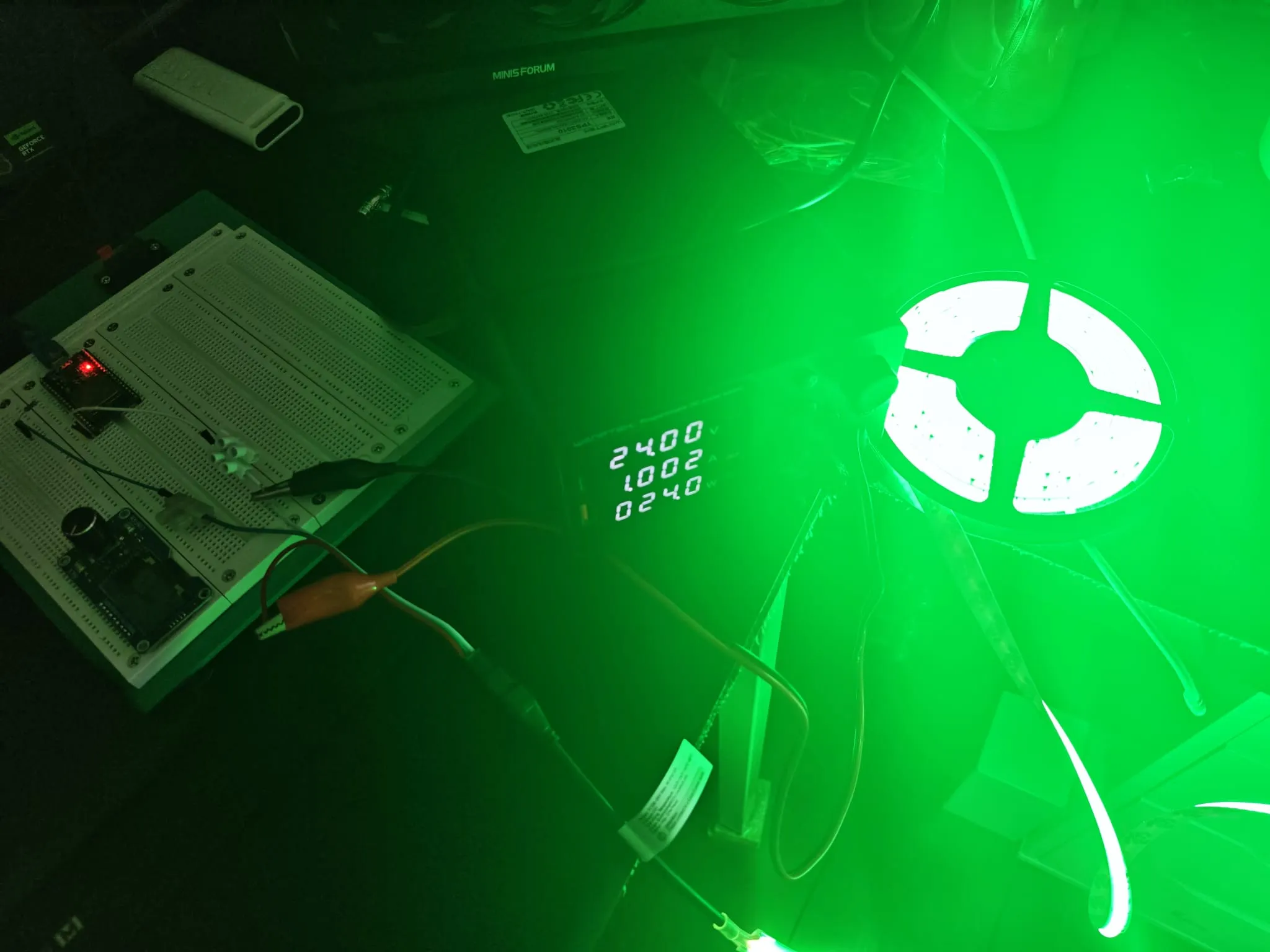
De ESP32 serveert een responsieve kleurbesturingspagina. Gebruikers kunnen elke kleur selecteren uit het wiel of afzonderlijke kanalen aanpassen, en de FCOB-strip update onmiddellijk. Het RGB→RGBW-algoritme produceert schone kleuren met onafhankelijke warmwitbesturing.
Dit is een van die projecten waarbij het resultaat onevenredig afgewerkt aanvoelt voor de hoeveelheid hardware die erin zit: het is gewoon een ESP32 en een LED-strip, maar de webinterface laat het als een echt product aanvoelen. Het kleurenwiel is bevredigend in gebruik, de scènes zijn leuk om te demonstreren, en de witextractie zorgt ervoor dat pastels en warme tinten er echt goed uitzien in plaats van vaal. Het is het soort ding waar ik op blijf terugkomen: meer scènes toevoegen, misschien MQTT-ondersteuning, misschien Home Assistant-integratie. Maar voor nu doet het precies wat ik wilde: een kleur kiezen, hem op de strip zien, geen apps nodig.